Top Mt4 Vs Mt5 for 2026
We found 11 online brokers that are appropriate for Trading Mt4 Vs Mt5.
Best Mt4 Vs Mt5 Guide
Analysis by Andrew Blumer, Updated and fact-checked by Senad Karaahmetovic, Last updated – September 23, 2026
MT4 vs MT5
Which trading platform you would choose when trying to build wealth in the financial markets, MT4 vs MT5? Understanding the strengths of each platform is crucial for making an informed decision.
We explain in this guide the key differences between MT4 and MT5 so that you can decide which is best for you and your trading strategy.
MT stands for MetaTrader. MT4 and MT5 are two different versions of the MetaTrader trading platform developed by MetaQuotes. MT4 was launched in 2005 and was designed primarily for Forex trading, such as major currency pairs like EURUSD, GBPUSD, and USDJPY. Over time, many brokers expanded MT4 to allow trading CFD on indices like the biggies NASDAQ, DOW, SP500 and major global commodities like natural gas, silver, gold, oil, and even cryptocurrencies. However, the platform remains heavily Forex focused in terms of its architecture and original design.
MT5 was released in 2010 as a more advanced, multi asset platform. It supports a broader range of instruments including Forex, individual stocks such as Apple or Tesla shares, exchange traded futures, stock indices, commodities, and options depending on the broker’s license. Compared to MT4, MT5 includes 21 timeframes instead of 9, six pending order types instead of four, a builtin economic calendar that displays events like US Non Farm Payrolls and central bank rate decisions directly on the chart, and Depth of Market functionality that shows real order book liquidity levels. Its multi processor threaded strategy tester allows traders to backtest strategies across multiple currency pairs simultaneously and optimize thousands of parameter combinations much faster than MT4.
In recent years, development has increasingly focused on MT5. The platform continues to receive performance improvements, enhanced web terminal functionality that runs smoothly in browsers without installation, and upgrades to mobile apps for Android and iOS. Brokers launching new services often prioritize MT5 because it supports both hedging and netting account systems and integrates better with exchange traded products. MT4 remains widely available but receives fewer structural upgrades, and many new brokerage firms now encourage new clients to open MT5 accounts by default.
That said, MT4 still maintains a very large user base and an extensive ecosystem of custom indicators and Expert Advisors built over nearly two decades. Thousands of legacy automated systems coded in MQL4 continue to run on MT4 accounts, especially among retail Forex traders who focus exclusively on currency pairs. For traders who rely on established automated strategies or prefer a simpler Forex focused environment, MT4 remains a practical choice. However, for traders looking for multi asset access, faster strategy optimization, improved order execution flexibility, and continued long term platform development, MT5 is increasingly seen as the more future oriented option.

Lets understand MT4 vs MT5 further.
MT4 vs MT5 Differences
There are a couple of key differences between MT4 and MT5. One distinction lies in their programming languages: MT4 uses MQL4, while MT5 utilizes MQL5. Both languages allow for custom trading indicators and Expert Advisors (EAs) to be created.
While MT4 and MT5 share some functionalities like black box trading capabilities, programs written specifically for MT4's MQL4 language won't run on MT5 without modification. This can be a consideration if you have a large library of custom MT4 tools.
Choosing between MT4 and MT5 depends on your trading needs. MT4 offers a wider user base, a vast selection of existing EAs and indicators, and a generally user-friendly interface. MT5 boasts a wider range of tradable assets, a more modern interface, and potentially faster processing. When all is said and done, the best platform depends on your priorities as a trader.


MT4 vs MT5 Features Side By Side

| Trading Platform Features | MetaTrader 4 (MT4) | MetaTrader 5 (MT5) |
|---|---|---|
| Supported Asset Classes | Forex, CFDs | Forex, CFDs, Stocks, Futures, Options |
| Broker Availability | Very High | Growing |
| Order Fill Policies | Fill or Kill | Fill or Kill, Immediate or Cancel, Return |
| Custom Indicators | Supported | Supported (More Advanced Framework) |
| Backtesting Speed | Slower | Faster (64bit, Multicore) |
| 64 bit Architecture | No | Yes |
| Position Accounting System | Hedging Only | Hedging and Netting |
| Integrated VPS Hosting | Limited | Yes |
| Depth of Market | No | Yes |
| Technical Indicators | 30 | 38 |
| Timeframes | 9 | 21 |
| Economic Calendar | No | Yes |
| Charts Open At Once | 100 | 100 |
| Programming Language used | MQL4 | MQL5 |
| Algorithmic trading | Yes | Yes |
| Library Of Free Trading Robots | Yes | Yes |
| Trading Alerts | Yes | Yes |
| Mobile Trading | Yes | Yes |
| Roll over and Hedging | Supported | Supported |
| Builtin News Feed | Basic | Advanced |
| Advanced Depth of Market (Level II) | No | Yes |
| Number of order execution types | 3 | 4 |
| Number of Pending Order Types | 4 | 6 |
| Transfer Funds between Accounts | No | Yes |
| Trading Reports | Tables only | Charts And Tables |
| Trading Scripts Market Place | No | Yes |
| Open Trades Dashboard | Lots | Lots, Quantity And Milliseconds |
| Trading Signals | Yes | Yes |
| Docked Technical Charts | No | Yes |
| Market Watch Data | Summary Data | Detailed Data |
| Partial Order Filling | No | Yes |
| Trading Platform Emails | No Email Attachments | Email Attachments Supported |
| Strategy Tester | Single threaded | Multi-threaded, Multiple currencies, Agent manager available |
| Netting | No | Yes |
| Exchange Trading | May be available through some brokers | May be available through some brokers |
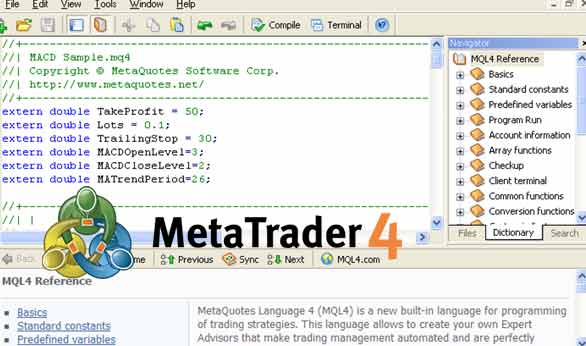
MetaTrader 4
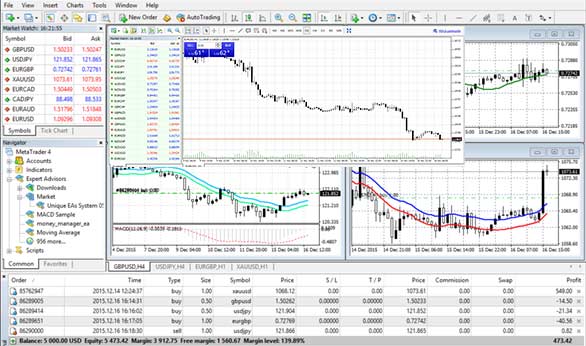
MetaTrader, particularly MT4, is a popular trading platform used by forex traders and brokers. It offers builtin support for trading major currency pairs like EUR/USD, USD/CHF, and USD/JPY. However, it's important to note that MT4 can also trade other instruments depending on your broker's offerings.
MT4 provides tools like Expert Advisors (EAs), which can automate trading strategies based on predefined rules. It also offers a vast library of technical indicators that can be used to analyze market trends. These indicators can be customized to suit your trading style, but it's important to understand their limitations and not rely solely on them for trading decisions.
While MT4 offers a comprehensive user interface, 'manipulating the market' is not a recommended approach. Successful trading involves understanding market dynamics, risk management, and sound trading strategies.
MT4 does boast a user-friendly interface that simplifies trade execution. It also allows for customization of the look and feel through themes (skins). Additionally, some brokers may offer features like custom menus and trading limits within MT4.
It's important to remember that no platform can guarantee protection from losing money. Risk management is crucial in forex trading. MT4 offers tools like stop-loss orders to help manage risk, but successful trading requires discipline and knowledge.
MetaTrader 5
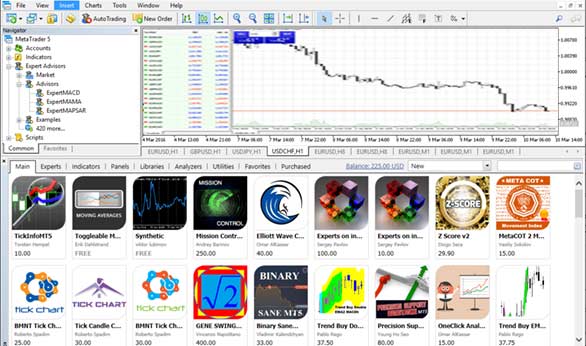
MetaTrader 5 is a powerful trading platform that offers a wider range of assets compared to MT4, including CFDs, stocks, futures, and Forex. It boasts a memory based back testing facility that allows you to test trading strategies on historical data stored on the platform's servers (not necessarily the broker's computers) This can be a valuable tool for evaluating strategy performance before risking real capital.
It's important to clarify that back testing results may not be entirely predictive of future performance. While backtesting can help refine strategies, it should not be solely relied upon for trading decisions. Consider factors like changing market conditions and emotional control during live trading.
MT5 offers other functionalities beyond back testing:
- A strategy tester for evaluating algorithmic trading strategies (not just visual appeal).
- A builtin economic calendar to stay informed about market-moving events.
- Tools for visualizing the market, such as advanced charting capabilities.
In addition to these platform features, some brokers may offer educational resources like live streams, news updates, and back office functionalities within MT5.
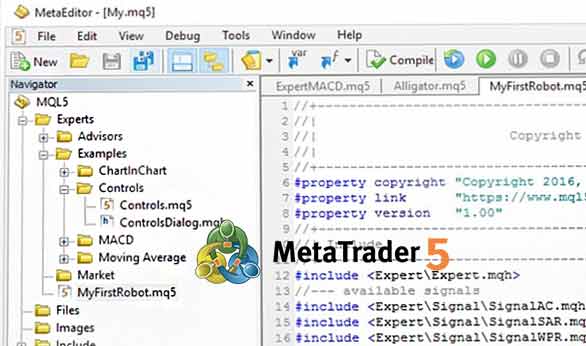
MT4 Vs MT5 Technical Indicators
On MT4, there are 30 builtin technical indicators, while MT5 offers 38. MT5 boasts some improvements over MT4 in terms of drawing tools, including additional Fibonacci studies and Elliot wave drawing capabilities. Overall, MT4 provides 31 graphical objects, whereas MT5 provides 44.
MT4 is primarily used for trading Forex and CFDs on various assets. MT5, on the other hand, caters to a wider range of assets, including equities, commodities futures, and Forex. Both platforms connect to brokers who can offer access to various financial markets.
- MT4 uses MQL4 language while MT5 uses MQL5 language.
- MT4 offers single threaded backtesting, while MT5 allows multi processor threaded backtesting for potentially faster strategy evaluation.
- Both MT4 and MT5 may require some technical knowledge for advanced functionalities, with MT5 potentially needing more due to its wider feature set.
- MT4 offers 9 timeframes for charting, while MT5 offers 21.
- MQL4 code written for MT4 generally won't run directly on MT5 due to language differences. Some parts might be adaptable, but full conversion might require effort.

MT5's Feature Set Compared to MT4
MetaTrader 5 (MT5) is a popular trading platform known for its user-friendly interface and wider range of features compared to its predecessor, MT4. Here's a breakdown of some key differences:
- Asset Selection: MT5 allows trading a broader range of assets, including forex, commodities, futures, stocks, and indices, while MT4 primarily focuses on forex and CFDs.
- Technical Analysis: MT5 offers more builtin technical indicators and charting functionalities compared to MT4.
- Backtesting: MT5 boasts multi threaded backtesting, allowing you to test multiple trading strategies simultaneously. MT4 offers single threaded backtesting.
- Customization: Both MT4 and MT5 offer customizable interfaces and strategy development using their respective MQL languages (MQL4 for MT4 and MQL5 for MT5).

Is MT4 Good for Trading?
MT4 can be a good choice for trading, particularly forex trading, due to its:
- User friendliness: The interface is generally considered easy to learn and navigate.
- Execution Speed: Orders can potentially be executed quickly and efficiently.
- Customization: It offers a high degree of customization for charts, indicators, and trading strategies through its MQL4 programming language.
- Large User Base: A vast community of users and resources exist for MT4, making it easier to find help and educational materials.
However, it's important to consider some limitations:
- Limited Asset Selection: Compared to MT5, MT4 offers a narrower range of tradable assets, primarily focusing on forex and CFDs.
- Automated Trading Risks: While MT4 allows automated trading, relying solely on prediction tools or automatic trading with default settings can be risky. Sound trading strategies, risk management, and a deep understanding of the market are crucial.
- Not Guaranteed Success: No platform can guarantee success in trading. MT4's features should be used in conjunction with proper trading knowledge and risk management practices.
Overall, MT4 can be a valuable tool for traders, but it's not a magic solution. Responsible trading practices and a strong understanding of the market are essential for success.
Is MT5 Good for Trading?

MT5 is widely regarded as a powerful platform for trading, designed to accommodate the needs of modern traders seeking advanced features and a broad range of trading instruments. It represents an evolution over the popular MT4, introducing several enhancements that cater to both novice and experienced traders.
MT5 expands trading capabilities significantly by allowing access to forex, stocks, futures, and CFDs from a single platform, making it an attractive option for traders looking to diversify their investment portfolio. The platform includes an array of advanced analytical tools, offering more technical indicators, graphical objects, and timeframes than its predecessor. This comprehensive suite of tools supports indepth market analysis, enabling traders to make informed decisions.
One of the standout features of MT5 is its improved strategy tester for Expert Advisors, which benefits from multi processor threaded backtesting capabilities. This allows for faster and more efficient optimization of trading strategies across multiple currencies and timeframes. The inclusion of an economic calendar directly within the platform also aids traders by providing live updates on economic events and news, enhancing the fundamental analysis process.
Depth of Market (DoM) information is another key addition in MT5, offering insights into market depth and the price levels available for trading. This feature is especially useful for day traders and those employing scalping strategies, as it provides a clearer picture of market liquidity and potential price movements.
MT5 employs the MQL5 programming language, which offers more power and flexibility than the MQL4 language used in MT4. MQL5 facilitates the development of more sophisticated trading robots and custom technical indicators, opening up new possibilities for algorithmic trading.
Can The Same MT4 Account Used In MT5?
Unfortunately, no. MT4 and MT5 require separate accounts, even though some brokers may offer migration assistance.

Can I trade other assets apart from Forex?
MT4 primarily focuses on Forex and CFDs. However, MT5 allows trading a wider range of assets, including futures, commodities, indices, and stocks.
Is MT4 Reliable?
Yes, MT4 is a widely used and well established platform known for its reliability.
Is A Broker Required To Use MT4?
You can download MT4 and use the demo account features without a broker. However, live trading with real money typically requires an account with a broker that offers MT4 connectivity. Many brokers also provide additional benefits like educational resources and a wider range of financial instruments.
The MT4 version includes a live price feed, technical indicators, algorithmic trading, and other tools. Those who seek independent advice can also refer to advisors.
Some MT4 tools can be used without depositing any money. Using a brokerage for MT5 and MT4 has a lot of added benefits. Brokers also offer other financial instruments and trading tools that may help your investment strategy.
Brokers also have many educational documents and videos. Almost all brokers offer MT4 and MT5 demo accounts for demo trading, which you should take full advantage of if you are a new trader.

MT4 Vs MT5 Verdict

It's crucial to understand the distinctions between MT4 and MT5, two widely used trading platforms designed with different priorities in mind.
MT4 remains a favorite among forex traders, particularly those who focus exclusively on currency pairs such as EURUSD, GBPUSD, and USDJPY. Its user friendly interface allows traders to open charts, apply indicators like Moving Averages, RSI, and MACD, and place trades within seconds. MT4 includes 9 timeframes and 30 built in technical indicators, which are sufficient for most retail forex strategies. In addition, MT4's automated trading capabilities, powered by MQL4, allow traders to run Expert Advisors such as grid systems, scalping robots, and breakout strategies directly from the platform. Because MT4 has been available since 2005, thousands of custom indicators and automated systems have been developed and shared through online communities and marketplaces.
MT5, in contrast, was built to handle a broader range of markets and more complex trading environments. For example, traders can use MT5 to access exchange traded stocks such as Apple or Tesla, futures contracts, and a wider selection of CFDs, depending on the broker. The platform offers 21 timeframes, 38 built in indicators, and 6 pending order types compared to 4 on MT4. Its multi threaded strategy tester allows traders to backtest automated systems across multiple currency pairs simultaneously, which significantly reduces testing time compared to MT4’s single threaded tester. MT5 also includes Depth of Market functionality that shows available liquidity levels, a builtin economic calendar that displays upcoming macroeconomic events such as interest rate decisions, and both hedging and netting position accounting modes, which are useful for traders operating in regulated exchange environments.
In recent years, adoption has increasingly shifted toward MT5. Many brokers now default new clients to MT5 accounts, especially when offering stock or futures trading. Platform updates are primarily focused on MT5, including improvements to chart rendering speed, web terminal performance, and optimization tools for algorithmic trading. While MT4 continues to be widely supported and remains extremely popular among forex only traders, MT5 is increasingly viewed as the more modern and adaptable platform for multi asset trading.
Selecting the right platform depends on your trading experience, preferred asset classes, and strategy requirements. A forex trader running a simple Expert Advisor on major currency pairs may find MT4 entirely sufficient. A trader who wants to diversify into equities, test complex portfolio strategies, or access centralized exchange products may benefit more from MT5. Neither platform guarantees profitability. Sustainable success comes from disciplined risk management, sound strategy development, and continuous market education, not simply from the choice between MT4 or MT5.
We have conducted extensive research and analysis on over multiple data points on Mt4 Vs Mt5 to present you with a comprehensive guide that can help you find the most suitable Mt4 Vs Mt5. Below we shortlist what we think are the best mt4 vs mt5 after careful consideration and evaluation. We hope this list will assist you in making an informed decision when researching Mt4 Vs Mt5.
Reputable Mt4 Vs Mt5 Checklist
Selecting a reliable and reputable online Mt4 Vs Mt5 trading brokerage involves assessing their track record, regulatory status, customer support, processing times, international presence, and language capabilities. Considering these factors, you can make an informed decision and trade Mt4 Vs Mt5 more confidently.
Selecting the right online Mt4 Vs Mt5 trading brokerage requires careful consideration of several critical factors. Here are some essential points to keep in mind:
- Ensure your chosen Mt4 Vs Mt5 broker has a solid track record of at least two years in the industry.
- Verify that the Mt4 Vs Mt5 broker has a customer support team of at least 15 members responsive to queries and concerns.
- Check if the Mt4 Vs Mt5 broker operates under the regulatory framework of a jurisdiction that can hold it accountable for any misconduct or resolve disputes fairly and impartially.
- Ensure that the Mt4 Vs Mt5 broker can process deposits and withdrawals within two to three days, which is crucial when you need to access your funds quickly.
- Look for Mt4 Vs Mt5 brokers with an international presence in multiple countries, offering its clients local seminars and training programs.
- Ensure the Mt4 Vs Mt5 broker can hire staff from diverse locations worldwide who can communicate fluently in your local language.
Our team have listed brokers that match your criteria for you below. All brokerage data has been summarised into a comparison table. Scroll down.
Compare Key Features of Mt4 Vs Mt5 in Our Brokerage Comparison Table
When choosing a broker for mt4 vs mt5 trading, it's essential to compare the different options available to you. Our mt4 vs mt5 brokerage comparison table below allows you to compare several important features side by side, making it easier to make an informed choice.
- Minimum deposit requirement for opening an account with each mt4 vs mt5 broker.
- The funding methods available for mt4 vs mt5 with each broker.
- The types of instruments you can trade with each mt4 vs mt5 broker, such as forex, stocks, commodities, and indices.
- The trading platforms each mt4 vs mt5 broker provides, including their features, ease of use, and compatibility with your devices.
- The spread type (if applicable) for each mt4 vs mt5 broker affects the cost of trading.
- The level of customer support each mt4 vs mt5 broker offers, including their availability, responsiveness, and quality of service.
- Whether each mt4 vs mt5 broker offers Micro, Standard, VIP, or Islamic accounts to suit your trading style and preferences.
By comparing these essential features, you can choose a mt4 vs mt5 broker that best suits your needs and preferences for mt4 vs mt5. Our mt4 vs mt5 broker comparison table simplifies the process, allowing you to make a more informed decision.
Top 15 Mt4 Vs Mt5 of 2026 compared
Here are the top Mt4 Vs Mt5.
Compare mt4 vs mt5 brokers for min deposits, funding, used by, benefits, account types, platforms, and support levels. When searching for a mt4 vs mt5 broker, it's crucial to compare several factors to choose the right one for your mt4 vs mt5 needs. Our comparison tool allows you to compare the essential features side by side.
All brokers below are mt4 vs mt5. Learn more about what they offer below.
You can scroll left and right on the comparison table below to see more mt4 vs mt5 that accept mt4 vs mt5 clients.
| Broker |
IC Markets

|
Roboforex

|
Pepperstone

|
AvaTrade

|
FP Markets

|
EasyMarkets

|
FXPro

|
Admiral

|
FXPrimus

|
Eightcap

|
Forex.com

|
|---|---|---|---|---|---|---|---|---|---|---|---|
| Rating | |||||||||||
| Regulation | International Capital Markets Pty Ltd (Australia) (ASIC) Australian Securities & Investments Commission Licence No. 335692, Seychelles Financial Services Authority (FSA) (SD018), IC Markets (EU) Ltd (CySEC) Cyprus Securities and Exchange Commission with License No. 362/18, Capital Markets Authority(CMA) Kenya IC Markets (KE) Ltd, Securities Commission of The Bahamas (SCB) IC Markets (Bahamas) Ltd | RoboForex Ltd is authorised and regulated by the Financial Services Commission (FSC) of Belize under licence No. 000138/32, under the Securities Industry Act 2021, RoboForex Ltd is an (A category) member of The Financial Commission, also RoboForex Ltd is a participant of the Financial Commission Compensation Fund | Financial Conduct Authority (FCA), Australian Securities and Investments Commission (ASIC), Cyprus Securities and Exchange Commission (CySEC), Federal Financial Supervisory Authority (BaFin), Dubai Financial Services Authority (DFSA), Capital Markets Authority of Kenya (CMA), Pepperstone Markets Limited is incorporated in The Bahamas (number 177174 B), Licensed by the Securities Commission of The Bahamas (SCB) number SIA-F217 | Australian Securities and Investments Commission (ASIC) Ava Capital Markets Australia Pty Ltd (406684), South African Financial Sector Conduct Authority (FSCA) Ava Capital Markets Pty Ltd (45984), Financial Services Agency (Japan FSA) Ava Trade Japan K.K. (1662), Financial Futures Association of Japan (FFAJ) Ava Trade Japan K.K. (1574), Abu Dhabi Global Markets (ADGM) / Financial Regulatory Services Authority (FRSA) Ava Trade Middle East Ltd (190018), Central Bank of Ireland (C53877) AVA Trade EU Ltd, Polish Financial Supervision Authority (KNF) AVA Trade EU Ltd (branch authorisation), British Virgin Islands Financial Services Commission (BVI) Ava Trade Markets Ltd (SIBA/L/13/1049), Israel Securities Authority (ISA) ATrade Ltd (514666577), Financial Superintendence of Colombia (SFC 0261 of 2024), Investment Industry Regulatory Organization of Canada through Friedberg Direct (IIROC) | CySEC (Cyprus Securities and Exchange Commission) (371/18), ASIC AFS (Australian Securities and Investments Commission) (286354), FSP (Financial Sector Conduct Authority in South Africa) (50926), Financial Services Authority Seychelles (FSA) (SD 130) | Easy Forex Trading Ltd is regulated by CySEC (License 079/07). This is the only entity that onboards EU clients. easyMarkets Pty Ltd is regulated by ASIC (AFS License 246566), EF Worldwide Ltd (Seychelles) is regulated by FSA (License SD056), EF Worldwide Ltd (British Virgin Islands) is regulated by FSC (License SIBA/L/20/1135), EF Worldwide (PTY) Ltd is regulated by FSCA (License 54018) | FCA (Financial Conduct Authority) (509956), CySEC (Cyprus Securities and Exchange Commission) (078/07), FSCA (Financial Sector Conduct Authority) (45052), SCB (Securities Commission of The Bahamas) (SIA-F184), FSA (Financial Services Authority of Seychelles) (SD120) | Financial Conduct Authority (FCA) (Licence No. 595450), Cyprus Securities and Exchange Commission (CySEC) (Licence No. 201/13), Financial Services Authority of Seychelles (FSA) (Licence No. SD073), Estonian Financial Supervision Authority (EFSA) (Licence No. 4.1-1/46) | VFSC (Vanuatu Financial Services Commission) (14595), CySEC (Cyprus Securities and Exchange Commission) (261/14) | SCB (Securities Commission of The Bahamas) (SIA-F220), ASIC (Australian Securities and Investments Commission) (391441), FCA (Financial Conduct Authority) (921296), CySEC (Cyprus Securities and Exchange Commission) (246/14) | FCA (Financial Conduct Authority) (446717) StoneX Financial Ltd, CFTC (Commodity Futures Trading Commission), NFA (National Futures Association) (0339826), ASIC (Australian Securities and Investments Commission) (345646) StoneX Financial Pty Ltd, MAS (Monetary Authority of Singapore) (StoneX Financial Pte. Ltd.), FSA (Financial Services Agency, Japan) (StoneX Financial Co., Ltd.), CIMA (Cayman Islands Monetary Authority) (25033) GAIN Global Markets Inc |
| Min Deposit | 200 | 10 | No minimum deposit | 100 | 100 | 25 | 100 | 100 | 15 | 100 | 100 |
| Funding |
|
|
|
|
|
|
|
|
|
|
|
| Used By | 200,000+ | 730,000+ | 830,000+ | 400,000+ | 200,000+ | 250,000+ | 11,200,000+ | 30,000+ | 5,000,000+ | 80,000+ | 454,000+ |
| Benefits |
|
|
|
|
|
|
|
|
|
|
|
| Accounts |
|
|
|
|
|
|
|
|
|
|
|
| Platforms | MT5, MT4, MetaTrader WebTrader, Mobile Apps, iOS (App Store), Android (Google Play), MetaTrader iPhone/iPad, MetaTrader Android Google Play, MetaTrader Mac, cTrader, cTrader Web, cTrader iPhone/iPad, cTrader iMac, cTrader Android Google Play, cTrader Automate, cTrader Copy Trading, TradingView, Virtual Private Server, Trading Servers, MT4 Advanced Trading Tools, IC Insights, Trading Central | MT4, MT5, R Mobile Trader, R StocksTrader, WebTrader, Mobile Apps, iOS (App Store), Android (Google Play), Windows | MT4, MT5, cTrader,WebTrader, TradingView, Windows, Mobile Apps, iOS (App Store), Android (Google Play) | MT4, MT5, Web Trading, AvaTrade App, AvaOptions, Mac Trading, AvaSocial, Mobile Apps, iOS (App Store), Android (Google Play) | MT4, MT5, TradingView, cTrader, WebTrader, Mobile Trader, Mobile Apps, iOS (App Store), Android (Google Play) | easyMarkets App, Mobile Apps, iOS (App Store), Android (Google Play), Web Platform, TradingView, MT4, MT5 | MT4, MT5, cTrader, FxPro WebTrader, FxPro Mobile Apps, iOS (App Store), Android (Google Play) | MT5, MT4, MetaTrader WebTrader, Admirals Mobile Apps, iOS (App Store), Android (Google Play), Admirals Platform, StereoTrader | WebTrader, MT4, MT5, cTrader, Mobile Apps, iOS (App Store), Android (Google Play) | TradingView, MT5, MT4, WebTrader, Mobile Apps, iOS (App Store), Android (Google Play) | Mobile Apps, iOS (App Store), Android (Google Play), WebTrader, MT4, MT5, TradingView |
| Support |
|
|
|
|
|
|
|
|
|
|
|
| Learn More |
Sign
Up with icmarkets |
Sign
Up with roboforex |
Sign
Up with pepperstone |
Sign
Up with avatrade |
Sign
Up with fpmarkets |
Sign
Up with easymarkets |
Sign
Up with fxpro |
Sign
Up with admiralmarkets |
Sign
Up with fxprimus |
Sign
Up with eightcap |
Sign
Up with forexcom |
| Risk Warning | Losses can exceed deposits | Losses can exceed deposits | 75-95 % of retail investor accounts lose money when trading CFDs | 57% of retail investor accounts lose money when trading CFDs with this provider | Losses can exceed deposits | 76% of retail investor accounts lose money when trading CFDs with this provider. | 74% of retail investor accounts lose money when trading CFDs and Spread Betting with this provider | Losses can exceed deposits | Losses can exceed deposits | Losses can exceed deposits | CFDs are complex instruments and come with a high risk of losing money rapidly due to leverage. 77% of retail investor accounts lose money when trading CFDs with this provider. You should consider whether you understand how CFDs work and whether you can afford to take the high risk of losing your money. |
| Demo |
IC Markets Demo |
Roboforex Demo |
Pepperstone Demo |
AvaTrade Demo |
FP Markets Demo |
easyMarkets Demo |
FxPro Demo |
Admiral Markets Demo |
FXPrimus Demo |
Eightcap Demo |
Forex.com Demo |
| Excluded Countries | US, IR, CA, NZ, JP | AU, BE, BQ, BR, CA, CW, CZ, DE, ES, EE, EU, FM, FR, FI, GW, ID, IR, JP, LR, MP, NL, PF, PL, RU, SE, SJ, SS, SL, SI, TL, TR, DO, US, IT, AT, PT, BG, HR, CY, DK, FL, GR, IE, LV, LT, MT, RO, SK, CH | AF, AS, AQ, AM, AZ, BY, BE, BZ, BT, BA, BI, CM, CA, CF, TD, CG, CI, ER, GF, PF, GP, GU, GN, GW, GY, HT, VA, IR, IQ, JP, KZ, LB, LR, LY, ML, MQ, YT, MZ, MM, NZ, NI, KP, PS, PR, RE, KN, LC, VC, WS, SO, GS, KR, SS, SD, SR, SY, TJ, TN, TM, TC, US, VU, VG, EH, ES, YE, ZW, ET | BE, BR, KP, NZ, TR, US, CA, SG | US, JP, NZ | US, IL, BC, MB, QC, ON, AF, BY, BI, KH, KY, TD, KM, CG, CU, CD, GQ, ER, FJ, GN, GW, HT, IR, IQ, LA, LY, MZ, MM, NI, KP, PW, PA, RU, SO, SS, SD, SY, TT, TM, VU, VE, YE | US, CA, IR | US, CA, JP, SG, MY, JM, IR, TR | AF, CI, CU, IQ, IR, LY, MM, KR, SD, PR, US, AU, SY, DZ, JP, EC. | US | BE |
All Mt4 vs mt5 in more detail
You can compare Mt4 Vs Mt5 ratings, min deposits what the the broker offers, funding methods, platforms, spread types, customer support options, regulation and account types side by side.
We also have an indepth Top Mt4 Vs Mt5 for 2026 article further below. You can see it now by clicking here
We have listed top Mt4 vs mt5 below.
Mt4 Vs Mt5 Table of Contents
- Mt4 Vs Mt5 Explained
- 6 Factors to Consider when Choosing Mt4 Vs Mt5
- Are Your Mt4 Vs Mt5 Trusted And Established?
- Are The Mt4 Vs Mt5 World Leading?
- What are the Mt4 Vs Mt5 Commissions and Fees?
- What are the Mt4 Vs Mt5 Funding and Withdrawl Methods?
- Find Mt4 Vs Mt5 with Round-the-clock support?
- Make sure the Mt4 Vs Mt5 Offer Comprehensive Trader resources?
- Why Mt4 Vs Mt5 needs to be regulated?
- Mt4 Vs Mt5 FAQ
- What are the best Mt4 vs mt5 brokers?
- What is the best Mt4 vs mt5 broker?
- Related Mt4 Vs Mt5 Reviews
- Related Mt4 Vs Mt5 Alternatives
- Related Mt4 Vs Mt5 Comparisons
Mt4 Vs Mt5 Explained
Trading volatile financial markets with Mt4 Vs Mt5 can be challenging, even for experienced traders. In addition to the online educational resources available, traders should consider the platform offered by Mt4 Vs Mt5 to ensure a successful trading experience.
Selecting Mt4 Vs Mt5 at the forefront of innovation and considered an industry leader is crucial. Doing so will ensure you are equipped with the tools and features to navigate volatile Mt4 Vs Mt5 markets effectively.
Reliability is key to gaining access to financial markets. Look for Mt4 Vs Mt5 that you can rely on to provide a stable and secure trading environment, allowing you to execute trades with Mt4 Vs Mt5 confidently.
6 Factors to Consider when Choosing Mt4 Vs Mt5
Follow these five rules for selecting Mt4 Vs Mt5 that are right for you:
Are Your Mt4 Vs Mt5 Trusted And Established?
Search for a reputable Mt4 Vs Mt5 with a extensive proven track record for Mt4 Vs Mt5, enabling you to focus solely on implementing your trading strategy and navigating the markets with confidence. The top rated Mt4 Vs Mt5 broker is IC Markets. Established in 2007, and in operation for 19 years IC Markets have a head office in Australia.
IC Markets is regulated. This means IC Markets are supervised by and is checked for conduct by International Capital Markets Pty Ltd (Australia) (ASIC) Australian Securities & Investments Commission Licence No. 335692, Seychelles Financial Services Authority (FSA) (SD018), IC Markets (EU) Ltd (CySEC) Cyprus Securities and Exchange Commission with License No. 362/18, Capital Markets Authority(CMA) Kenya IC Markets (KE) Ltd, Securities Commission of The Bahamas (SCB) IC Markets (Bahamas) Ltd regulatory bodies.
Another top rated broker is Roboforex.
Roboforex was established 2009, and in operation for 17 years Roboforex have a head office in Belize.
Roboforex is regulated. This means Roboforex are supervised by and is checked for conduct by International Capital Markets Pty Ltd (Australia) (ASIC) Australian Securities & Investments Commission Licence No. 335692, Seychelles Financial Services Authority (FSA) (SD018), IC Markets (EU) Ltd (CySEC) Cyprus Securities and Exchange Commission with License No. 362/18, Capital Markets Authority(CMA) Kenya IC Markets (KE) Ltd, Securities Commission of The Bahamas (SCB) IC Markets (Bahamas) Ltd regulatory bodies.
| Broker |
IC Markets
|
Roboforex
|
Pepperstone
|
AvaTrade
|
FP Markets
|
EasyMarkets
|
FXPro
|
Admiral
|
|---|---|---|---|---|---|---|---|---|
| Year Established | 2007 | 2009 | 2010 | 2006 | 2005 | 2001 | 2006 | 2001 |
| Head Office | Australia | Belize | Australia | Ireland | Australia | Cyprus, Australia | UK | UK |
| Regulation | International Capital Markets Pty Ltd (Australia) (ASIC) Australian Securities & Investments Commission Licence No. 335692, Seychelles Financial Services Authority (FSA) (SD018), IC Markets (EU) Ltd (CySEC) Cyprus Securities and Exchange Commission with License No. 362/18, Capital Markets Authority(CMA) Kenya IC Markets (KE) Ltd, Securities Commission of The Bahamas (SCB) IC Markets (Bahamas) Ltd | RoboForex Ltd is authorised and regulated by the Financial Services Commission (FSC) of Belize under licence No. 000138/32, under the Securities Industry Act 2021, RoboForex Ltd is an (A category) member of The Financial Commission, also RoboForex Ltd is a participant of the Financial Commission Compensation Fund | Financial Conduct Authority (FCA), Australian Securities and Investments Commission (ASIC), Cyprus Securities and Exchange Commission (CySEC), Federal Financial Supervisory Authority (BaFin), Dubai Financial Services Authority (DFSA), Capital Markets Authority of Kenya (CMA), Pepperstone Markets Limited is incorporated in The Bahamas (number 177174 B), Licensed by the Securities Commission of The Bahamas (SCB) number SIA-F217 | Australian Securities and Investments Commission (ASIC) Ava Capital Markets Australia Pty Ltd (406684), South African Financial Sector Conduct Authority (FSCA) Ava Capital Markets Pty Ltd (45984), Financial Services Agency (Japan FSA) Ava Trade Japan K.K. (1662), Financial Futures Association of Japan (FFAJ) Ava Trade Japan K.K. (1574), Abu Dhabi Global Markets (ADGM) / Financial Regulatory Services Authority (FRSA) Ava Trade Middle East Ltd (190018), Central Bank of Ireland (C53877) AVA Trade EU Ltd, Polish Financial Supervision Authority (KNF) AVA Trade EU Ltd (branch authorisation), British Virgin Islands Financial Services Commission (BVI) Ava Trade Markets Ltd (SIBA/L/13/1049), Israel Securities Authority (ISA) ATrade Ltd (514666577), Financial Superintendence of Colombia (SFC 0261 of 2024), Investment Industry Regulatory Organization of Canada through Friedberg Direct (IIROC) | CySEC (Cyprus Securities and Exchange Commission) (371/18), ASIC AFS (Australian Securities and Investments Commission) (286354), FSP (Financial Sector Conduct Authority in South Africa) (50926), Financial Services Authority Seychelles (FSA) (SD 130) | Easy Forex Trading Ltd is regulated by CySEC (License 079/07). This is the only entity that onboards EU clients. easyMarkets Pty Ltd is regulated by ASIC (AFS License 246566), EF Worldwide Ltd (Seychelles) is regulated by FSA (License SD056), EF Worldwide Ltd (British Virgin Islands) is regulated by FSC (License SIBA/L/20/1135), EF Worldwide (PTY) Ltd is regulated by FSCA (License 54018) | FCA (Financial Conduct Authority) (509956), CySEC (Cyprus Securities and Exchange Commission) (078/07), FSCA (Financial Sector Conduct Authority) (45052), SCB (Securities Commission of The Bahamas) (SIA-F184), FSA (Financial Services Authority of Seychelles) (SD120) | Financial Conduct Authority (FCA) (Licence No. 595450), Cyprus Securities and Exchange Commission (CySEC) (Licence No. 201/13), Financial Services Authority of Seychelles (FSA) (Licence No. SD073), Estonian Financial Supervision Authority (EFSA) (Licence No. 4.1-1/46) |
| Used By | 200,000+ | 730,000+ | 830,000+ | 400,000+ | 200,000+ | 250,000+ | 11,200,000+ | 30,000+ |
| Negative balance protection | Yes | Yes | Yes | Yes | Yes | Yes | Yes | Yes |
| Guaranteed Stop Loss | No | No | Yes | No | No | Yes | No | No |
| Learn More | Visit IC Markets | Visit Roboforex | Visit Pepperstone | Visit AvaTrade | Visit FP Markets | Visit easyMarkets | Visit FxPro | Visit Admiral Markets |
| Risk Warning | Losses can exceed deposits | Losses can exceed deposits | 75-95 % of retail investor accounts lose money when trading CFDs | 57% of retail investor accounts lose money when trading CFDs with this provider | Losses can exceed deposits | 76% of retail investor accounts lose money when trading CFDs with this provider. | 74% of retail investor accounts lose money when trading CFDs and Spread Betting with this provider | Losses can exceed deposits |
Are The Mt4 Vs Mt5 World Leading?
Opt for Mt4 Vs Mt5 that set themselves apart as an industry leader by actively embracing innovation. Take IC Markets as an example, which is renowned for Segregates clients funds and boasts an extensive array of 2850 tradable instruments. Moreover, IC Markets caters to the needs of its clients with both an online trading platform and a mobile application, making it incredibly convenient to access the markets from anywhere, at any time.
In addition, the IC Markets platform enables access to a variety of financial markets worldwide. IC Markets is a world-leader when it comes to innovation and they are always looking at ways to improve and to maintain their competitive advantage.
Another good choice when looking for Mt4 Vs Mt5 is Roboforex. Roboforex Segregates clients funds and offers over 12000 instruments.
| Broker |
IC Markets
|
Roboforex
|
Pepperstone
|
AvaTrade
|
FP Markets
|
EasyMarkets
|
FXPro
|
Admiral
|
|---|---|---|---|---|---|---|---|---|
| Instruments Available | 2850 | 12000 | 2700 | 1250 | 10000 | 275 | 2100 | 8,000 |
| Platforms | MT5, MT4, MetaTrader WebTrader, Mobile Apps, iOS (App Store), Android (Google Play), MetaTrader iPhone/iPad, MetaTrader Android Google Play, MetaTrader Mac, cTrader, cTrader Web, cTrader iPhone/iPad, cTrader iMac, cTrader Android Google Play, cTrader Automate, cTrader Copy Trading, TradingView, Virtual Private Server, Trading Servers, MT4 Advanced Trading Tools, IC Insights, Trading Central | MT4, MT5, R Mobile Trader, R StocksTrader, WebTrader, Mobile Apps, iOS (App Store), Android (Google Play), Windows | MT4, MT5, cTrader,WebTrader, TradingView, Windows, Mobile Apps, iOS (App Store), Android (Google Play) | MT4, MT5, Web Trading, AvaTrade App, AvaOptions, Mac Trading, AvaSocial, Mobile Apps, iOS (App Store), Android (Google Play) | MT4, MT5, TradingView, cTrader, WebTrader, Mobile Trader, Mobile Apps, iOS (App Store), Android (Google Play) | easyMarkets App, Mobile Apps, iOS (App Store), Android (Google Play), Web Platform, TradingView, MT4, MT5 | MT4, MT5, cTrader, FxPro WebTrader, FxPro Mobile Apps, iOS (App Store), Android (Google Play) | MT5, MT4, MetaTrader WebTrader, Admirals Mobile Apps, iOS (App Store), Android (Google Play), Admirals Platform, StereoTrader |
| Excluded Countries | US, IR, CA, NZ, JP | AU, BE, BQ, BR, CA, CW, CZ, DE, ES, EE, EU, FM, FR, FI, GW, ID, IR, JP, LR, MP, NL, PF, PL, RU, SE, SJ, SS, SL, SI, TL, TR, DO, US, IT, AT, PT, BG, HR, CY, DK, FL, GR, IE, LV, LT, MT, RO, SK, CH | AF, AS, AQ, AM, AZ, BY, BE, BZ, BT, BA, BI, CM, CA, CF, TD, CG, CI, ER, GF, PF, GP, GU, GN, GW, GY, HT, VA, IR, IQ, JP, KZ, LB, LR, LY, ML, MQ, YT, MZ, MM, NZ, NI, KP, PS, PR, RE, KN, LC, VC, WS, SO, GS, KR, SS, SD, SR, SY, TJ, TN, TM, TC, US, VU, VG, EH, ES, YE, ZW, ET | BE, BR, KP, NZ, TR, US, CA, SG | US, JP, NZ | US, IL, BC, MB, QC, ON, AF, BY, BI, KH, KY, TD, KM, CG, CU, CD, GQ, ER, FJ, GN, GW, HT, IR, IQ, LA, LY, MZ, MM, NI, KP, PW, PA, RU, SO, SS, SD, SY, TT, TM, VU, VE, YE | US, CA, IR | US, CA, JP, SG, MY, JM, IR, TR |
| Forex pairs offered | 65 | 40 | 93 | 53 | 70 | 136 | 70 | 80 |
| Major forex pairs | Yes | Yes | Yes | Yes | Yes | Yes | Yes | Yes |
| Minor forex pairs | Yes | Yes | Yes | Yes | Yes | Yes | Yes | Yes |
| Exotic forex pairs | Yes | Yes | Yes | Yes | Yes | Yes | Yes | Yes |
| Cryptocurrencies (availability subject to regulation) | Yes | Yes | Yes | Yes | Yes | Yes | Yes | Yes |
| Commodities Offered | 28 | 100 | 40 | 19 | 29 | 18 | 110 | 29 |
| Metals | Yes | Yes | Yes | Yes | Yes | Yes | Yes | Yes |
| Energies | Yes | No | Yes | Yes | Yes | Yes | Yes | Yes |
| Agricultural | Yes | No | Yes | Yes | Yes | Yes | Yes | No |
| Stocks Offered | 2100 | 8484 | 1100 | 647 | 10000 | 275 | 1782 | 3000 |
| UK Shares | Yes | Yes | Yes | Yes | Yes | Yes | Yes | Yes |
| US Shares | Yes | Yes | Yes | Yes | Yes | Yes | Yes | Yes |
| German Shares | Yes | Yes | Yes | Yes | Yes | Yes | Yes | Yes |
| Japanese Shares | Yes | Yes | Yes | Yes | Yes | Yes | Yes | Yes |
What are the Mt4 Vs Mt5 Commissions and Fees?
Ensure that your broker is transparent with fees and those dues are competitive.
The best rated Mt4 Vs Mt5 broker IC Markets offers competitive offers for Forex, CFDs, Spread Betting, Share dealing, Cryptocurrencies. IC Markets minimum deposit is 200.
Another top rated Mt4 Vs Mt5 broker Roboforex offers Forex, CFDs. Roboforex minimum deposit is 10. Please note that any cryptocurrency availability with any broker is subject to regulation.
| Broker |
IC Markets
|
Roboforex
|
Pepperstone
|
AvaTrade
|
FP Markets
|
EasyMarkets
|
FXPro
|
Admiral
|
|---|---|---|---|---|---|---|---|---|
| Min Deposit | 200 | 10 | 0 | 100 | 100 | 25 | 100 | 100 |
| Withdrawl Fees | No | No | No | No | No | No | No | No |
| Inactivity Fees | No | No | No | Yes | No | No | Yes | Yes |
| Deposit Fees | No | No | No | No | No | No | No | Varies |
| CFD Commission Fees | Yes | No | Yes | No | Yes | No | charge commissions on cTrader only | Yes |
What are the Mt4 Vs Mt5 Funding and Withdrawal Methods?
Efficient and hassle-free funding and withdrawal facilities can significantly improve your overall trading experience when dealing with Mt4 Vs Mt5. It streamlines the trading process and helps you focus on making informed decisions rather than worrying about deposit and withdrawal matters with Mt4 Vs Mt5.
| Broker |
IC Markets
|
Roboforex
|
Pepperstone
|
AvaTrade
|
FP Markets
|
EasyMarkets
|
FXPro
|
Admiral
|
|---|---|---|---|---|---|---|---|---|
| Bank transfer | Yes | Yes | Yes | Yes | Yes | Yes | Yes | Yes |
| Credit Cards | Yes | Yes | Yes | Yes | Yes | Yes | Yes | Yes |
| Paypal | Yes | No | Yes | Yes | Yes | No | Yes | No |
| Skrill | Yes | No | Yes | No | Yes | Yes | Yes | Yes |
| Payoneer | No | Yes | Yes | Yes | No | No | No | Yes |
| Neteller | Yes | Yes | Yes | Yes | Yes | Yes | Yes | Yes |
Find Mt4 Vs Mt5 with Round-the-clock support?
Effective customer service is an essential factor to consider when dealing with Mt4 Vs Mt5.
Mt4 Vs Mt5 customer service entails various support services to aid customers in making the most cost-effective and appropriate use of the brokers' services.
The customer support options offered by Mt4 Vs Mt5 can include phone answering services, live chat support, and email customer service support.
IC Markets support a wide range of languages including English, Japanese, Chinese, Polish, Afrikans, Danish, Dutch, German and more
Roboforex support a wide range of languages including English, Chinese Simplified, Chinese Traditional, Indonesian, Malaysian, Portuguese, Spanish, Italian, Polish, Arabic, Thai, Russian, and Ukrainian
IC Markets and Roboforex offer support where clients are able to call or contact the helpdesk via email or a chat service.
| Broker |
IC Markets
|
Roboforex
|
Pepperstone
|
AvaTrade
|
FP Markets
|
EasyMarkets
|
FXPro
|
Admiral
|
|---|---|---|---|---|---|---|---|---|
| Support |
|
|
|
|
|
|
|
|
| Languages | English, Japanese, Chinese, Polish, Afrikans, Danish, Dutch, German and more | English, Chinese Simplified, Chinese Traditional, Indonesian, Malaysian, Portuguese, Spanish, Italian, Polish, Arabic, Thai, Russian, and Ukrainian | English, Spanish, Portuguese, Thai, Russian, Italian, French, German, Polish, Chinese, Vietnamese, and Arabic | Arabic, Simplified Chinese, Traditional Chinese, Dutch, English, Finnish, French, German, Hungarian, Italian, Indonesian, Japanese, Mongolian, Polish, Portuguese, Russian, Spanish, Swedish, Thai, Malay, Korean and Turkish | English, Arabic, Indonesian, Italian, Spanish, French, Russian, Chinese, Japanese, German, Portuguese, Thai, French, Malay, Greek, Vietnamese, Romanian, Turkish, Slovenian, Dutch, Polish, Finnish, Norwegian, Swedish, Serbian, Lithuanian, Hungarian, Galician, Estonian, Danish, Czech, Croatian, Bulgarian, Basque | English, German, Arabic, Chinese, Spanish and Polish | Arabic, Chinese, English, French, German, Hungarian, Indonesian, Italian, Japanese, Korean, Polish, Portuguese, Russian, Spanish, Vietnamese, Greek, Malaysian, Thai, Turkish, Romanian, Czech, Slovak | English, Spanish, Hungarian, Bulgarian, Cestina, German, Dutch, French, Eesti, Francais, Greek, Latviesu, Lietuviskas, Moldovian, Croatian, Slovenian, Polish, Russian, Serbian, Romanian, Ukrainian, and Croatian |
| Learn More | Visit IC Markets | Visit Roboforex | Visit Pepperstone | Visit AvaTrade | Visit FP Markets | Visit easyMarkets | Visit FxPro | Visit Admiral Markets |
| Risk Warning | Losses can exceed deposits | Losses can exceed deposits | 75-95 % of retail investor accounts lose money when trading CFDs | 57% of retail investor accounts lose money when trading CFDs with this provider | Losses can exceed deposits | 76% of retail investor accounts lose money when trading CFDs with this provider. | 74% of retail investor accounts lose money when trading CFDs and Spread Betting with this provider | Losses can exceed deposits |
Make sure the Mt4 Vs Mt5 Offer Comprehensive Trader resources?
It's important to ensure your Mt4 Vs Mt5 provide complimentary resources such as analysis, education, and risk management tools. IC Markets and Roboforex collaborate with top analysts to bring the most up-to-date news and insights to traders.
Sound risk and money management are vital to financial market navigation with Mt4 Vs Mt5. However, selecting the best broker to access the markets is a critical step that traders should not overlook as they embark on trading live financial markets with Mt4 Vs Mt5.
Why Mt4 Vs Mt5 needs to be regulated?
Regulated Mt4 Vs Mt5 lowers your risk of loss of deposited trading funds.
Lowering your risk is one of the benefits of working with a properly regulated Mt4 Vs Mt5.
Consumers are protected by Mt4 Vs Mt5 regulation, critical to preventing inadequate services and potential financial harm.
Regulation of Mt4 Vs Mt5 is necessary to prevent fraud. The Mt4 Vs Mt5 working capital and client-funded accounts must be kept separate to avoid conducting business with client funds. Any fraudulent behaviour with Mt4 Vs Mt5 is monitored by financial regulators in the jurisdictions brokers are allowed to operate.
Mt4 Vs Mt5 List
Funding methods
Bank transfer Credit Card PaypalPlatforms
MT5, MT4, MetaTrader WebTrader, Mobile Apps, iOS (App Store), Android (Google Play), MetaTrader iPhone/iPad, MetaTrader Android Google Play, MetaTrader Mac, cTrader, cTrader Web, cTrader iPhone/iPad, cTrader iMac, cTrader Android Google Play, cTrader Automate, cTrader Copy Trading, TradingView, Virtual Private Server, Trading Servers, MT4 Advanced Trading Tools, IC Insights, Trading CentralCustomer support
Live chat Phone support Email supportAccount Types
Micro account Standard account ECN accountIslamic account VIP account
Funding methods
Bank transfer Credit Card PaypalPlatforms
MT4, MT5, R Mobile Trader, R StocksTrader, WebTrader, Mobile Apps, iOS (App Store), Android (Google Play), WindowsCustomer support
Live chat Phone support Email supportAccount Types
Micro account Standard account ECN accountIslamic account VIP account
Funding methods
Bank transfer Credit Card PaypalPlatforms
MT4, MT5, cTrader,WebTrader, TradingView, Windows, Mobile Apps, iOS (App Store), Android (Google Play)Customer support
Live chat Phone support Email supportAccount Types
Micro account Standard account ECN accountIslamic account Pro Account VIP account
Funding methods
Bank transfer Credit Card PaypalPlatforms
MT4, MT5, Web Trading, AvaTrade App, AvaOptions, Mac Trading, AvaSocial, Mobile Apps, iOS (App Store), Android (Google Play)Customer support
Live chat Phone support Email supportAccount Types
Micro account Standard account ECN accountIslamic account VIP account
Funding methods
Bank transfer Credit Card PaypalPlatforms
MT4, MT5, TradingView, cTrader, WebTrader, Mobile Trader, Mobile Apps, iOS (App Store), Android (Google Play)Customer support
Live chat Phone support Email supportAccount Types
Micro account Standard account ECN accountIslamic account VIP account
Funding methods
Bank transfer Credit Card PaypalPlatforms
easyMarkets App, Mobile Apps, iOS (App Store), Android (Google Play), Web Platform, TradingView, MT4, MT5Customer support
Live chat Phone support Email supportAccount Types
Micro account Standard account ECN accountIslamic account VIP account
Funding methods
Bank transfer Credit Card PaypalPlatforms
MT4, MT5, cTrader, FxPro WebTrader, FxPro Mobile Apps, iOS (App Store), Android (Google Play)Customer support
Live chat Phone support Email supportAccount Types
Micro account Standard account ECN accountIslamic account VIP account
Funding methods
Bank transfer Credit Card PaypalPlatforms
MT5, MT4, MetaTrader WebTrader, Admirals Mobile Apps, iOS (App Store), Android (Google Play), Admirals Platform, StereoTraderCustomer support
Live chat Phone support Email supportAccount Types
Micro account Standard account ECN accountIslamic account VIP account
Funding methods
Bank transfer Credit Card PaypalPlatforms
WebTrader, MT4, MT5, cTrader, Mobile Apps, iOS (App Store), Android (Google Play)Customer support
Live chat Phone support Email supportAccount Types
Micro account Standard account ECN accountIslamic account VIP account
Funding methods
Bank transfer Credit Card PaypalPlatforms
TradingView, MT5, MT4, WebTrader, Mobile Apps, iOS (App Store), Android (Google Play)Customer support
Live chat Phone support Email supportAccount Types
Micro account Standard account ECN accountIslamic account VIP account
Funding methods
Bank transfer Credit Card PaypalPlatforms
Mobile Apps, iOS (App Store), Android (Google Play), WebTrader, MT4, MT5, TradingViewCustomer support
Live chat Phone support Email supportAccount Types
Micro account Standard account ECN accountIslamic account VIP account

Learn more
Losses can exceed deposits

Losses can exceed deposits