Top Apple Mac Brokers for 2026
We found 11 online brokers that are appropriate for Trading Apple Mac.
Forex CFD Trading platforms for trading on Apple Mac Guide
Analysis by Andrew Blumer, Updated and fact-checked by Senad Karaahmetovic, Last updated – September 01, 2026
Apple Mac Brokers
Trading on a Mac used to mean wrestling with Windows only platforms or relying on virtualization. I remember running MetaTrader through clumsy setups and older virtual machines, dealing with freezes and delayed quotes whenever volatility spiked. Today, the landscape has completely matured: brokers provide deeply integrated macOS desktop ecosystems, hardware accelerated web terminals, or lightning fast cloud virtual servers (VPS) that deliver instant live feeds with the absolute minimum level of latency.
Virtualization Workarounds vs Arm Optimized Applications
Before Apple Silicon, I depended on heavy third party software to run Windows trading terminals, which drained battery life and caused severe thermal throttling during busy market openings. With modern M-series Macs (including the latest M4 and M5 chips), premium institutional software like SaxoTraderPRO and MotiveWave run entirely natively on Apple's ARM architecture. Even for classic legacy platforms like MetaTrader 4 and MetaTrader 5, which remain Windows centric at their core brokers now provide highly optimized, Apple notarized Wine wrappers that translate instructions seamlessly through Rosetta 2. Alternatively, many active traders have moved to cloud based Forex VPS networks accessed through a lightweight, native remote desktop app, keeping the MacBook cool, quiet, and highly efficient during massive multiasset sessions.
Broker Software Support vs Web and Cloud Platforms
In the past, limited macOS support meant constantly switching between desktop apps and browser portals, often losing custom indicators, Fibonacci tools, and chart templates. Now, advanced HTML5 and WebGL web terminals mirror desktop features completely, saving workspaces in the cloud and running smoothly in Safari or Chrome. I can seamlessly swap between a highend desktop app like Interactive Brokers’ Trader Workstation (TWS) and a synchronized web portal without ever needing to reconfigure my trading layout.
Performance Bottlenecks vs Accelerated Trading Engines
Older Intel Macs struggled under heavy data loads, dropped frames, or lagged when I ran multiple chart layouts or monitored dozens of fast moving CFDs simultaneously. Apple Silicon's unified memory architecture entirely removes these resource constraints. Modern Macs can stream raw tick data across six or more high resolution charts loaded with custom technical scripts, while handling simultaneous order routing engines with perfectly smooth scrolling and rapid fire execution.
Security Constraints vs Built In macOS Protections
Previously, installing specialized trading tools or third party indicators frequently meant bypassing Gatekeeper, exposing my system to vulnerabilities. Today, premium brokers ensure their downloadable macOS software is fully signed, sandboxed, and officially notarized by Apple. This allows platforms to integrate deeply with security hardware like Touch ID for instant biometric secure login and trade authorization, all without compromising built-in system integrity protections.
Mac Future Innovations vs Today's Solutions
Looking ahead, tighter cross device continuity continues to streamline my day to day workflow. live margin calls, economic calendar alerts, and price triggers cross seamlessly from desktop screens directly to an iPhone or Apple Watch. Between native cloud backed platforms and incredibly efficient translation engines, trading on a Mac has evolved from a frustrating compatibility compromise into an elite, fully integrated ecosystem built for serious market operators.

Best Apple Mac Supported Brokers
IC Markets
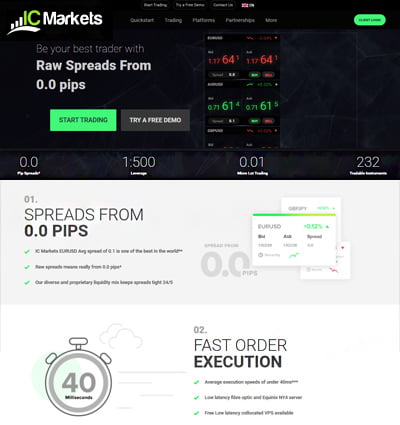
IC Markets stands out as an exceptional choice for traders who prioritize speed and precision. The broker supports a wide range of advanced trading platforms that are fully compatible with Apple Mac computers and iOS devices. These include MetaTrader 4 (MT4), MetaTrader 5 (MT5), cTrader, and TradingView.
All platforms are available as native macOS applications and web based versions accessible via Safari, ensuring a seamless and high performance trading experience. IC Markets also provides robust mobile apps for iPhone and iPad, allowing traders to manage positions and monitor markets on the go. With the additional benefit of low latency VPS hosting, IC Markets is particularly well suited for algorithmic traders and scalpers who demand minimal execution delays.
This combination of platform versatility, tight spreads, and rapid execution makes IC Markets a top tier broker for Mac users, especially experienced day traders and scalpers who require high performance trading tools.
RoboForex
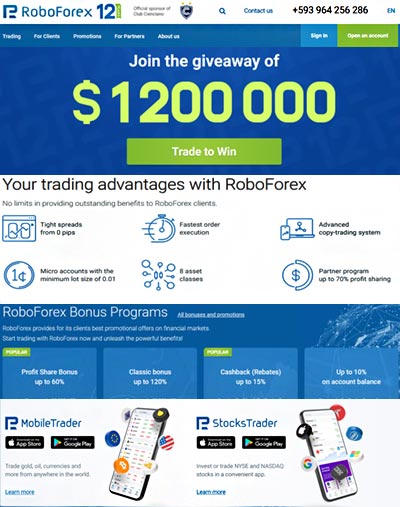
RoboForex offers a dynamic and flexible trading environment with support for MetaTrader 4, MetaTrader 5, and cTrader — all of which are compatible with Apple Mac systems. Traders can download native Mac versions or use browser based platforms through Safari without compromising on performance. RoboForex's mobile apps for iPhone and iPad mirror desktop capabilities, supporting advanced tools like Expert Advisors (EAs) and high leverage trading. With ultra tight spreads and a user friendly design, RoboForex delivers strong value for both new and experienced traders who rely on Apple devices.
eToro

eToro brings a unique twist to online trading through its award winning social trading platform. It allows users to follow, copy, and learn from top performing investors using its CopyTrading feature. The platform is fully web based and optimized for Mac users via Safari, with a sleek, responsive interface. iPhone and iPad users also benefit from a powerful mobile app, enabling seamless trading and portfolio tracking. Regulated by both CySEC and the FCA, and with a global user base exceeding 40 million, eToro is ideal for traders seeking a community driven experience on their Apple devices.
XTB

XTB appeals to traders who value comprehensive analysis tools and strong educational support. Its proprietary platform, xStation 5, is fully compatible with macOS, with native applications and a responsive web version that performs smoothly on Safari.
XTB also provides iOS apps for iPhone and iPad, allowing traders to access markets, educational content, and analytical tools on the go. Regulated by top tier bodies like the FCA and CySEC, XTB delivers a secure and educationally rich trading experience tailored for Apple device users.
XM
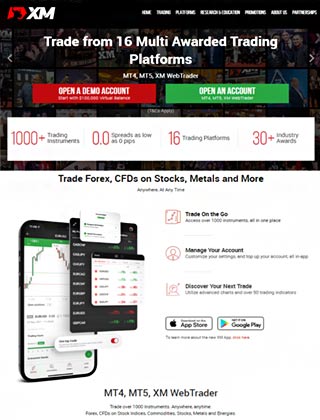
XM is a well rounded broker known for its strong client support and platform reliability. It supports both MetaTrader 4 and MetaTrader 5, offering Mac compatible downloads and browser based access via Safari. Traders using iPhone or iPad can take advantage of XM’s iOS apps, which are designed to provide a full featured mobile trading experience. With a variety of account types, competitive spreads, and strong regulatory coverage from ASIC, CySEC, and the IFSC, XM offers a dependable and flexible environment for Apple users of all levels.
Pepperstone

Pepperstone is renowned for its fast execution speeds, institutional grade spreads, and client focused service. Apple users can access MetaTrader 4, MetaTrader 5, and cTrader — all available as native Mac applications and through Safari. The broker also offers mobile trading via well designed iOS apps for iPhones and iPads. These apps deliver full trading functionality and are ideal for users who need mobility without sacrificing platform features. Regulated by the FCA and ASIC, Pepperstone ensures a high standard of trust and operational integrity for Mac users worldwide.
AvaTrade
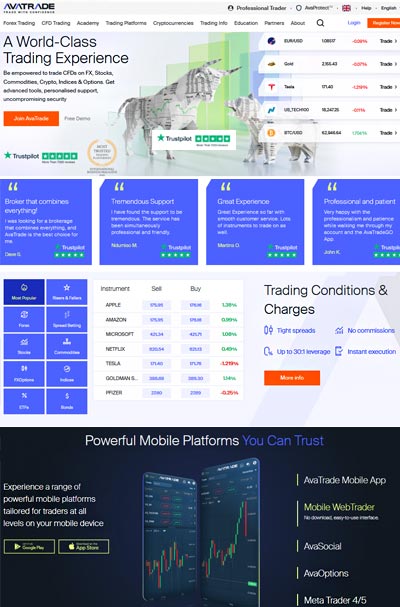
AvaTrade provides an excellent suite of trading solutions for Apple users through its AvaTradeGo and AvaSocial mobile apps. These platforms are optimized for iOS and macOS devices, allowing for seamless transitions between desktop and mobile trading.
With support for MetaTrader platforms and integrated risk management tools, AvaTrade offers a flexible and modern trading experience. Whether you’re trading from your MacBook or iPhone, the platform maintains full functionality and access to multiple asset classes. AvaTrade is ideal for traders who appreciate social features, mobile flexibility, and advanced tools all in one place.
FP Markets
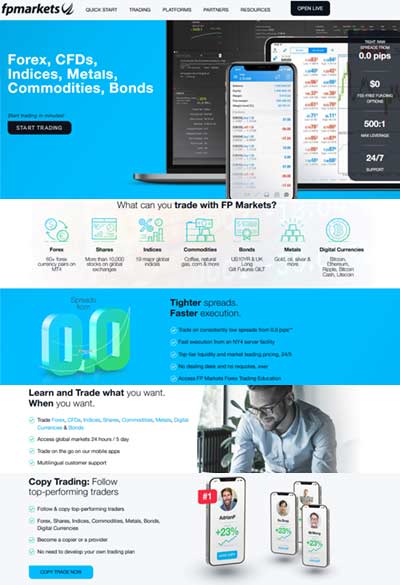
FP Markets delivers high performance trading tools, particularly for users who rely on Apple hardware. Both MetaTrader 4 and MetaTrader 5 platforms are fully supported on Mac computers, either via native downloads or web access through Safari.
Mobile traders can also use FP Markets’ apps for iPhone and iPad, which are designed to mirror the desktop experience, including access to charting tools and real time pricing. With customizable strategies, low spreads, and a focus on technology, FP Markets is well suited for traders seeking advanced capabilities on their Apple devices.
Running Windows Based Trading Software on a Mac: Legacy Emulation vs ARM Native Virtualization
In my early days of trading, I relied on Parallels Desktop (Version 13) to run MetaTrader 4 from XM on my Intel based MacBook Pro. While it bridged the gap, I often noticed occasional latency spikes during high volatility sessions. With Apple's shift to M5 chips, Parallels Desktop for Mac now offers an ARM optimized build that runs Windows 11 ARM edition more smoothly, reducing CPU overhead by up to 20 %. IC Markets and RoboForex both provide native macOS installers for MT4/5, cutting out the emulation layer entirely.
One drawback remains: you still need to purchase both Parallels and a Windows license. The next wave of innovations'lightweight container based virtualization (e.g., UTM, Multipass) and cross platform frameworks'promises free or lower cost ARM support, further narrowing the performance gap between native and emulated trading platforms.
Using Web Based Platforms on a Mac: From Basic Browser Access to Progressive Web Apps

When I first tried TradingView in Safari on my 2018 iMac, it was simply a web page with basic charting. Today, it's a full PWA with offline caching and native style notifications'almost indistinguishable from a desktop app. eToro and XTB have followed suit, offering PWA versions of their platforms that integrate with macOS notifications, Touch Bar controls, and even AppleScript automation for order placement.
These next gen web platforms load instantly, support multi monitor Retina setups, and automatically adapt to dark mode. They eliminate compatibility headaches and free up gigabytes of storage compared to legacy desktop installations.
Performance Benchmarks on a Mac: Real World Metrics and Latest Tests
| Benchmark | Legacy Metric (Intel Macs) | Current Metric (M4 / M5 Apple Silicon) | Quick Example |
|---|---|---|---|
| System Boot Time | Intel macOS cold boot 60 to 90 s | Apple Silicon boot 8 to 12 s | My M5 MacBook Air reaches the desktop and loads background tickers almost instantly |
| Windows Trading Setup | Boot Camp native Windows required reboot | Parallels ARM VM launch 4 to 6 s | No restart needed; the virtualized Windows terminal opens just like a lightweight native app |
| Platform Launch Time | Parallels + MT4 or MT5 15 to 20 s | Native or WebTrader 1 to 2 s | TradingView, premium broker applications, and native platforms pop open instantly from the dock |
| Chart Rendering | 1000-candle chart redraw 2 to 3 s with lag | Same chart under 0.1 s hardware-accelerated refresh | Zooming and shifting timeframes feels fluid even with dozens of memory-heavy custom script indicators |
| Order Execution Latency | Emulated Windows MT4 180 to 220 ms | Native App / PWA or Cloud VPS 30 to 90 ms | Orders route and hit the institutional order book dramatically faster during high-impact news spikes |
| Multitasking Under Load | 4 apps + VM caused extreme fan noise and thermal throttling | 20+ apps perfectly silent with high-bandwidth unified memory | I run desktop trading terminals, TradingView web tabs, Excel macro sheets, Discord, and a live Zoom stream simultaneously with zero slowdown |
| Battery Life While Trading | 3 to 5 hours heavy use | 12 to 18 hours continuous live data tracking | Can easily actively trade an entire global market session without ever hunting for an outlet |
| System Stability | Occasional freezes in Boot Camp or outdated Wine wrappers | Notarized native clients and WebGL platforms highly stable | Backtested complex multipair strategies overnight across months of historical tick data without a single crash |
Pros and Cons of Trading on a Mac: Modern Advantages vs Lingering Trade Offs
From my experience upgrading from an old, overheating Intel MacBook to an M-series Apple Silicon powerhouse, the upside is clear but there are still a few architectural realities to keep in mind.
Apple Mac Trading Pros
Seamless Apple ecosystem: Continuity features like Universal Clipboard, Handoff, and full iPhone Mirroring streamline the modern workflow. If a specific proprietary broker tool is mobile only, I can pull up my iPhone screen directly on my Mac desktop, interact with it seamlessly, and copy order information directly across devices with zero friction.
Stellar battery life: Thanks to the exceptional energy efficiency of modern Apple Silicon architectures, an M-series Mac comfortably delivers 15 to 18 hours of life under mixed trading workloads. It easily outlasts energy hungry legacy hardware when parsing continuous, high frequency data streams.
Silent operation: Fanless MacBook Air models and thermal optimized MacBook Pro chassis stay whisper-silent, even when executing heavy backtests or maintaining dozens of live charting panels. Traders can focus entirely on technical execution rather than dealing with irritating fan noise or laptop heat.
Built in security: Apple Silicon natively integrates the Secure Enclave, strict Gatekeeper checks, and app sandboxing right into the core operating system. This protects capital and sensitive trading accounts from malicious background scripts or unauthorized third party plugins without requiring complex antivirus configurations.
Modern broker support: The industry has thoroughly adapted to macOS. Brokers now provide beautifully optimized, Apple notarized native applications, powerful Progressive Web Apps (PWAs), or WebGL accelerated browser terminals. Classic tools like MT5 WebTrader and advanced proprietary dashboards run smoothly without demanding resource intensive virtualization workarounds.

Apple Mac Trading Cons
Windows only plugins still exist: Some Expert Advisors, DLL based indicators, and legacy trading tools still require native Windows environments. Since Boot Camp is no longer supported on Apple Silicon Macs, power users must rely on virtualization software or a separate Windows PC for full compatibility.
Cost of virtualization: Running Windows now typically means Parallels Desktop or similar tools, which cost around 99 to 120 USD per year, plus a Windows license. While performance is much better on M series chips, it still adds extra expense and setup complexity for part time traders.
Learning curve for web platforms: Many brokers have moved from desktop terminals to browser based or PWA platforms. While faster and more stable, switching from traditional Windows apps like cTrader or MT4 can take time since shortcuts, layouts, and workflows behave differently.
Screen real estate limits: Even with today’s 14 and 16 inch MacBook Pro models and higher resolution displays, serious multi chart trading still benefits from external monitors. I typically connect to a 27 or 32 inch screen for better layout control, as laptop screens alone feel cramped during active sessions.
Trading on a Mac today is smoother and faster than ever thanks to Apple Silicon chips such as M3 and M4, unified memory, silent thermals, and long battery life. While a few Windows specific tools still require workarounds, native apps and modern web platforms now put Mac traders largely on equal footing with Windows users.
Native Mac Compatible Brokers and Trading Platforms: Who's Leading the Charge?

My go to brokers for native Mac support are IC Markets and XM'they both offer macOS installers for MetaTrader 4 and 5, complete with automatic updates. XTB's xStation comes as a Universal app, while AvaTrade, eToro, and RoboForex deliver proprietary terminals optimized for Retina displays. If you prefer no install setups, every one of these brokers offers a fully featured web platform or PWA that runs flawlessly in Safari and Chrome on macOS.
Trading on Mobile Apple Devices: Continuity in Your Pocket
Though this guide centers on macOS desktops and laptops, don't overlook the iPhone and iPad. All the brokers mentioned above provide iOS apps with advanced charting, One Touch orders, and Face ID security. I routinely switch from my desk to the gym, executing eToro copy trades on my Apple Watch before heading back to my MacBook'seamless trade continuity at its finest.
Apple Mac Brokers Verdict
Trading on a Mac is not without its challenges, but with the right tools and configurations, you can achieve a highly effective trading setup. Whether using emulation software like Parallels, opting for native Mac trading platforms, or utilizing web based platforms like TradingView, there are solutions to meet the needs of any trader.
Trading on a Mac has come a long way since I first wrestled with Wine and clunky virtualization tools. Back then, freezes during high volatility sessions and lagging quotes were the norm, and running Parallels Desktop on my Intel MacBook Pro felt like a necessary sacrifice of battery life and silence. Today, with native macOS apps from IC Markets, XTB, XM and others, plus ARM optimized versions on M1/M2 machines. I enjoy instant launches, whisper quiet operation, and reliable 60 fps charting across multiple windows without a hint of stutter.
Web based platforms have also matured beyond basic browser charting. The introduction of PWAs and WebAssembly dashboards means I can run XTB’s advanced interface or TradingView offline, complete with custom indicators and dark mode support, all while retaining my workspace settings. These browser apps load faster, integrate with macOS notifications and Touch Bar controls, and spare me the gigabytes and headaches of traditional installs.

Security and stability have improved in tandem. No more disabling Gatekeeper or wrestling with third party DLLs modern broker clients are Apple notarized and sandboxed, giving me confidence that my system is protected even during marathon backtests. And with planned features like Apple Watch trade alerts and AI driven Mac widgets on the horizon, the ecosystem is only set to become more seamless.
Of course, a few trade offs remain Windows only plugins still force some power users back to Boot Camp or paid virtualization, and screen real estate on a MacBook may still lag behind a dedicated multi monitor Windows rig. But for most traders, the benefits of battery life, silent operation, built in security, and truly native software outweigh the last few niche gaps.
All told, trading on a Mac today is smoother and more powerful than ever. Between native MT4/5 installers, GPU accelerated engines, PWAs, and robust iOS continuity, I’ve never felt more at home managing my positions across desktop, mobile, and even my Apple Watch proving that Mac users can now compete toe to toe with their Windows based peers.
We have conducted extensive research and analysis on over multiple data points on Apple Mac Brokers to present you with a comprehensive guide that can help you find the most suitable Apple Mac Brokers. Below we shortlist what we think are the best apple mac brokers after careful consideration and evaluation. We hope this list will assist you in making an informed decision when researching Apple Mac Brokers.
Reputable Forex CFD Trading platforms for trading on Apple Mac Checklist
Selecting a reliable and reputable online Apple Mac trading brokerage involves assessing their track record, regulatory status, customer support, processing times, international presence, and language capabilities. Considering these factors, you can make an informed decision and trade Apple Mac more confidently.
Selecting the right online Apple Mac trading brokerage requires careful consideration of several critical factors. Here are some essential points to keep in mind:
- Ensure your chosen Apple Mac broker has a solid track record of at least two years in the industry.
- Verify that the Apple Mac broker has a customer support team of at least 15 members responsive to queries and concerns.
- Check if the Apple Mac broker operates under the regulatory framework of a jurisdiction that can hold it accountable for any misconduct or resolve disputes fairly and impartially.
- Ensure that the Apple Mac broker can process deposits and withdrawals within two to three days, which is crucial when you need to access your funds quickly.
- Look for Apple Mac brokers with an international presence in multiple countries, offering its clients local seminars and training programs.
- Ensure the Apple Mac broker can hire staff from diverse locations worldwide who can communicate fluently in your local language.
Our team have listed brokers that match your criteria for you below. All brokerage data has been summarised into a comparison table. Scroll down.
Compare Key Features of Apple Mac Brokers in Our Brokerage Comparison Table
When choosing a broker for apple mac trading, it's essential to compare the different options available to you. Our apple mac brokerage comparison table below allows you to compare several important features side by side, making it easier to make an informed choice.
- Minimum deposit requirement for opening an account with each apple mac broker.
- The funding methods available for apple mac with each broker.
- The types of instruments you can trade with each apple mac broker, such as forex, stocks, commodities, and indices.
- The trading platforms each apple mac broker provides, including their features, ease of use, and compatibility with your devices.
- The spread type (if applicable) for each apple mac broker affects the cost of trading.
- The level of customer support each apple mac broker offers, including their availability, responsiveness, and quality of service.
- Whether each apple mac broker offers Micro, Standard, VIP, or Islamic accounts to suit your trading style and preferences.
By comparing these essential features, you can choose a apple mac broker that best suits your needs and preferences for apple mac. Our apple mac broker comparison table simplifies the process, allowing you to make a more informed decision.
Top 15 Apple Mac Brokers of 2026 compared
Here are the top Apple Mac Brokers.
Compare apple mac brokers for min deposits, funding, used by, benefits, account types, platforms, and support levels. When searching for a apple mac broker, it's crucial to compare several factors to choose the right one for your apple mac needs. Our comparison tool allows you to compare the essential features side by side.
All brokers below are apple mac brokers. Learn more about what they offer below.
You can scroll left and right on the comparison table below to see more apple mac brokers that accept apple mac clients.
| Broker |
IC Markets

|
Roboforex

|
XM

|
Pepperstone

|
AvaTrade

|
FP Markets

|
FXPro

|
Admiral

|
ThinkMarkets

|
FXPrimus

|
Trading212
|
|---|---|---|---|---|---|---|---|---|---|---|---|
| Rating | |||||||||||
| Regulation | International Capital Markets Pty Ltd (Australia) (ASIC) Australian Securities & Investments Commission Licence No. 335692, Seychelles Financial Services Authority (FSA) (SD018), IC Markets (EU) Ltd (CySEC) Cyprus Securities and Exchange Commission with License No. 362/18, Capital Markets Authority(CMA) Kenya IC Markets (KE) Ltd, Securities Commission of The Bahamas (SCB) IC Markets (Bahamas) Ltd | RoboForex Ltd is authorised and regulated by the Financial Services Commission (FSC) of Belize under licence No. 000138/32, under the Securities Industry Act 2021, RoboForex Ltd is an (A category) member of The Financial Commission, also RoboForex Ltd is a participant of the Financial Commission Compensation Fund | Financial Sector Conduct Authority (FSCA) (49976) XM ZA (Pty) Ltd, Financial Services Commission (FSC) (000261/27) XM Global Limited, Cyprus Securities and Exchange Commission (CySEC) (license 120/10) Trading Point of Financial Instruments Ltd, Australian Securities and Investments Commission (ASIC) (number 443670) Trading Point of Financial Instruments Pty Ltd | Financial Conduct Authority (FCA), Australian Securities and Investments Commission (ASIC), Cyprus Securities and Exchange Commission (CySEC), Federal Financial Supervisory Authority (BaFin), Dubai Financial Services Authority (DFSA), Capital Markets Authority of Kenya (CMA), Pepperstone Markets Limited is incorporated in The Bahamas (number 177174 B), Licensed by the Securities Commission of The Bahamas (SCB) number SIA-F217 | Australian Securities and Investments Commission (ASIC) Ava Capital Markets Australia Pty Ltd (406684), South African Financial Sector Conduct Authority (FSCA) Ava Capital Markets Pty Ltd (45984), Financial Services Agency (Japan FSA) Ava Trade Japan K.K. (1662), Financial Futures Association of Japan (FFAJ) Ava Trade Japan K.K. (1574), Abu Dhabi Global Markets (ADGM) / Financial Regulatory Services Authority (FRSA) Ava Trade Middle East Ltd (190018), Central Bank of Ireland (C53877) AVA Trade EU Ltd, Polish Financial Supervision Authority (KNF) AVA Trade EU Ltd (branch authorisation), British Virgin Islands Financial Services Commission (BVI) Ava Trade Markets Ltd (SIBA/L/13/1049), Israel Securities Authority (ISA) ATrade Ltd (514666577), Financial Superintendence of Colombia (SFC 0261 of 2024), Investment Industry Regulatory Organization of Canada through Friedberg Direct (IIROC) | CySEC (Cyprus Securities and Exchange Commission) (371/18), ASIC AFS (Australian Securities and Investments Commission) (286354), FSP (Financial Sector Conduct Authority in South Africa) (50926), Financial Services Authority Seychelles (FSA) (SD 130) | FCA (Financial Conduct Authority) (509956), CySEC (Cyprus Securities and Exchange Commission) (078/07), FSCA (Financial Sector Conduct Authority) (45052), SCB (Securities Commission of The Bahamas) (SIA-F184), FSA (Financial Services Authority of Seychelles) (SD120) | Financial Conduct Authority (FCA) (Licence No. 595450), Cyprus Securities and Exchange Commission (CySEC) (Licence No. 201/13), Financial Services Authority of Seychelles (FSA) (Licence No. SD073), Estonian Financial Supervision Authority (EFSA) (Licence No. 4.1-1/46) | Financial Conduct Authority (FCA), Financial Sector Conduct Authority (FSCA), TF Global Markets Int Limited (Seychelles) (8424818-1), TF Global Markets (UK) Limited is authorised and regulated by the Financial Conduct Authority FRN 629628, TFG (Payments) Limited (United Kingdom) (10537331), Think Capital Services UK Ltd (United Kingdom) (11054653), TF Global Markets (STL) Limited (Saint Lucia) (2023-00272), TF Global Markets (AUST) Pty Ltd is the holder of Australian Financial Services Licence number 424700, TF Global Markets (South Africa) (Pty) Ltd is an Authorised Financial Services Provider (FSP No 49835), TF Global Markets Int Limited is authorised and regulated by the Financial Services Authority (Seychelles) Firm Reference Number SD060, The Cyprus Securities and Exchange Commission (CySEC), TF Global Markets (STL) Limited (Saint Lucia) (2023-00272) | VFSC (Vanuatu Financial Services Commission) (14595), CySEC (Cyprus Securities and Exchange Commission) (261/14) | FCA (Financial Conduct Authority) (609146), ASIC (Australian Securities and Investments Commission) (541122), FSC (Financial Supervision Commission Bulgaria) (RG-03-0237), CySEC (Cyprus Securities and Exchange Commission) (398/21) |
| Min Deposit | 200 | 10 | 5 | No minimum deposit | 100 | 100 | 100 | 100 | 250 | 15 | 1 |
| Funding |
|
|
|
|
|
|
|
|
|
|
|
| Used By | 200,000+ | 730,000+ | 15,000,000+ | 830,000+ | 400,000+ | 200,000+ | 11,200,000+ | 30,000+ | 450,000+ | 5,000,000+ | 5,000,000+ |
| Benefits |
|
|
|
|
|
|
|
|
|
|
|
| Accounts |
|
|
|
|
|
|
|
|
|
|
|
| Platforms | MT5, MT4, MetaTrader WebTrader, Mobile Apps, iOS (App Store), Android (Google Play), MetaTrader iPhone/iPad, MetaTrader Android Google Play, MetaTrader Mac, cTrader, cTrader Web, cTrader iPhone/iPad, cTrader iMac, cTrader Android Google Play, cTrader Automate, cTrader Copy Trading, TradingView, Virtual Private Server, Trading Servers, MT4 Advanced Trading Tools, IC Insights, Trading Central | MT4, MT5, R Mobile Trader, R StocksTrader, WebTrader, Mobile Apps, iOS (App Store), Android (Google Play), Windows | MT5, MT5 WebTrader, XM Apple App for iPhone, XM App for Android Google Play, Tablet: MT5 for iPad, MT5 for Android Google Play, XM App for iPad, XM App for iOS (App Store), Android (Google Play), Mobile Apps | MT4, MT5, cTrader,WebTrader, TradingView, Windows, Mobile Apps, iOS (App Store), Android (Google Play) | MT4, MT5, Web Trading, AvaTrade App, AvaOptions, Mac Trading, AvaSocial, Mobile Apps, iOS (App Store), Android (Google Play) | MT4, MT5, TradingView, cTrader, WebTrader, Mobile Trader, Mobile Apps, iOS (App Store), Android (Google Play) | MT4, MT5, cTrader, FxPro WebTrader, FxPro Mobile Apps, iOS (App Store), Android (Google Play) | MT5, MT4, MetaTrader WebTrader, Admirals Mobile Apps, iOS (App Store), Android (Google Play), Admirals Platform, StereoTrader | ThinkTrader, WebTrader, TradingView, TradingView, Mobile Apps, iOS (App Store), Android (Google Play) | WebTrader, MT4, MT5, cTrader, Mobile Apps, iOS (App Store), Android (Google Play) | Web Trader, Mobile Apps, iOS (App Store), Android (Google Play) |
| Support |
|
|
|
|
|
|
|
|
|
|
|
| Learn More |
Sign
Up with icmarkets |
Sign
Up with roboforex |
Sign
Up with xm |
Sign
Up with pepperstone |
Sign
Up with avatrade |
Sign
Up with fpmarkets |
Sign
Up with fxpro |
Sign
Up with admiralmarkets |
Sign
Up with thinkmarkets |
Sign
Up with fxprimus |
Sign
Up with trading212 |
| Risk Warning | Losses can exceed deposits | Losses can exceed deposits | CFDs are complex instruments and come with a high risk of losing money rapidly due to leverage. 74.48% of retail investor accounts lose money when trading CFDs with this provider. You should consider whether you understand how CFDs work and whether you can afford to take the high risk of losing your money. | 75-95 % of retail investor accounts lose money when trading CFDs | 57% of retail investor accounts lose money when trading CFDs with this provider | Losses can exceed deposits | 74% of retail investor accounts lose money when trading CFDs and Spread Betting with this provider | Losses can exceed deposits | CFDs are complex instruments and come with a high risk of losing money rapidly due to leverage. 71.89% of retail investor accounts lose money when trading CFDs with this provider. You should consider whether you understand how CFDs work and whether you can afford to take the high risk of losing your money | Losses can exceed deposits | CFDs are complex instruments and come with a high risk of losing money rapidly due to leverage. 79% of retail investor accounts lose money when trading CFDs with this provider. You should consider whether you understand how CFDs work and whether you can afford to take the high risk of losing your money. |
| Demo |
IC Markets Demo |
Roboforex Demo |
XM Demo |
Pepperstone Demo |
AvaTrade Demo |
FP Markets Demo |
FxPro Demo |
Admiral Markets Demo |
ThinkMarkets Demo |
FXPrimus Demo |
Trading 212 Demo |
| Excluded Countries | US, IR, CA, NZ, JP | AU, BE, BQ, BR, CA, CW, CZ, DE, ES, EE, EU, FM, FR, FI, GW, ID, IR, JP, LR, MP, NL, PF, PL, RU, SE, SJ, SS, SL, SI, TL, TR, DO, US, IT, AT, PT, BG, HR, CY, DK, FL, GR, IE, LV, LT, MT, RO, SK, CH | US, CA, IL, IR | AF, AS, AQ, AM, AZ, BY, BE, BZ, BT, BA, BI, CM, CA, CF, TD, CG, CI, ER, GF, PF, GP, GU, GN, GW, GY, HT, VA, IR, IQ, JP, KZ, LB, LR, LY, ML, MQ, YT, MZ, MM, NZ, NI, KP, PS, PR, RE, KN, LC, VC, WS, SO, GS, KR, SS, SD, SR, SY, TJ, TN, TM, TC, US, VU, VG, EH, ES, YE, ZW, ET | BE, BR, KP, NZ, TR, US, CA, SG | US, JP, NZ | US, CA, IR | US, CA, JP, SG, MY, JM, IR, TR | RU, AF, Yugoslavia, AO, GM, NG, AW, GH, KR, BY, GN, BO, GN, PK, BW, HT, PG, IR, PN Island, Burma MM, IQ, RW, KH, , SN, CF, JP, Sierra, Leone, TD, KG, SO, CI , LB, SZ, CU, LS, SY, of CG, LR, TJ, DJ, LY, Tanzania, EC, Laos, TG, ER, ML, TM, ET, MN, UG, Falkland Islands, NA, US of America, FJ, NI, YE, ZW | AF, CI, CU, IQ, IR, LY, MM, KR, SD, PR, US, AU, SY, DZ, JP, EC. | US, CA |
All Apple mac brokers in more detail
You can compare Apple Mac Brokers ratings, min deposits what the the broker offers, funding methods, platforms, spread types, customer support options, regulation and account types side by side.
We also have an indepth Top Apple Mac Brokers for 2026 article further below. You can see it now by clicking here
We have listed top Apple mac brokers below.
Forex CFD Trading platforms for trading on Apple Mac Table of Contents
- Forex CFD Trading platforms for trading on Apple Mac Explained
- 6 Factors to Consider when Choosing Forex CFD Trading platforms for trading on Apple Mac
- Are Your Forex CFD Trading platforms for trading on Apple Mac Trusted And Established?
- Are The Forex CFD Trading platforms for trading on Apple Mac World Leading?
- What are the Forex CFD Trading platforms for trading on Apple Mac Commissions and Fees?
- What are the Forex CFD Trading platforms for trading on Apple Mac Funding and Withdrawl Methods?
- Find Forex CFD Trading platforms for trading on Apple Mac with Round-the-clock support?
- Make sure the Forex CFD Trading platforms for trading on Apple Mac Offer Comprehensive Trader resources?
- Why Forex CFD Trading platforms for trading on Apple Mac needs to be regulated?
- Forex CFD Trading platforms for trading on Apple Mac FAQ
- What are the best Apple mac brokers?
- What is the best Apple mac broker?
- Related Forex CFD Trading platforms for trading on Apple Mac Reviews
- Related Forex CFD Trading platforms for trading on Apple Mac Alternatives
- Related Forex CFD Trading platforms for trading on Apple Mac Comparisons
Forex CFD Trading platforms for trading on Apple Mac Explained
Trading volatile financial markets with Forex CFD Trading platforms for trading on Apple Mac can be challenging, even for experienced traders. In addition to the online educational resources available, traders should consider the platform offered by Forex CFD Trading platforms for trading on Apple Mac to ensure a successful trading experience.
Selecting Forex CFD Trading platforms for trading on Apple Mac at the forefront of innovation and considered an industry leader is crucial. Doing so will ensure you are equipped with the tools and features to navigate volatile Forex CFD Trading platforms for trading on Apple Mac markets effectively.
Reliability is key to gaining access to financial markets. Look for Forex CFD Trading platforms for trading on Apple Mac that you can rely on to provide a stable and secure trading environment, allowing you to execute trades with Forex CFD Trading platforms for trading on Apple Mac confidently.
6 Factors to Consider when Choosing Forex CFD Trading platforms for trading on Apple Mac
Follow these five rules for selecting Forex CFD Trading platforms for trading on Apple Mac that are right for you:
Are Your Forex CFD Trading platforms for trading on Apple Mac Trusted And Established?
Search for a reputable Forex CFD Trading platforms for trading on Apple Mac with a extensive proven track record for Forex CFD Trading platms trading on Apple Mac, enabling you to focus solely on implementing your trading strategy and navigating the markets with confidence. The top rated Forex CFD Trading platforms for trading on Apple Mac broker is IC Markets. Established in 2007, and in operation for 19 years IC Markets have a head office in Australia.
IC Markets is regulated. This means IC Markets are supervised by and is checked for conduct by International Capital Markets Pty Ltd (Australia) (ASIC) Australian Securities & Investments Commission Licence No. 335692, Seychelles Financial Services Authority (FSA) (SD018), IC Markets (EU) Ltd (CySEC) Cyprus Securities and Exchange Commission with License No. 362/18, Capital Markets Authority(CMA) Kenya IC Markets (KE) Ltd, Securities Commission of The Bahamas (SCB) IC Markets (Bahamas) Ltd regulatory bodies.
Another top rated broker is Roboforex.
Roboforex was established 2009, and in operation for 17 years Roboforex have a head office in Belize.
Roboforex is regulated. This means Roboforex are supervised by and is checked for conduct by International Capital Markets Pty Ltd (Australia) (ASIC) Australian Securities & Investments Commission Licence No. 335692, Seychelles Financial Services Authority (FSA) (SD018), IC Markets (EU) Ltd (CySEC) Cyprus Securities and Exchange Commission with License No. 362/18, Capital Markets Authority(CMA) Kenya IC Markets (KE) Ltd, Securities Commission of The Bahamas (SCB) IC Markets (Bahamas) Ltd regulatory bodies.
| Broker |
IC Markets
|
Roboforex
|
XM
|
Pepperstone
|
AvaTrade
|
FP Markets
|
FXPro
|
Admiral
|
|---|---|---|---|---|---|---|---|---|
| Year Established | 2007 | 2009 | 2009 | 2010 | 2006 | 2005 | 2006 | 2001 |
| Head Office | Australia | Belize | Cyprus | Australia | Ireland | Australia | UK | UK |
| Regulation | International Capital Markets Pty Ltd (Australia) (ASIC) Australian Securities & Investments Commission Licence No. 335692, Seychelles Financial Services Authority (FSA) (SD018), IC Markets (EU) Ltd (CySEC) Cyprus Securities and Exchange Commission with License No. 362/18, Capital Markets Authority(CMA) Kenya IC Markets (KE) Ltd, Securities Commission of The Bahamas (SCB) IC Markets (Bahamas) Ltd | RoboForex Ltd is authorised and regulated by the Financial Services Commission (FSC) of Belize under licence No. 000138/32, under the Securities Industry Act 2021, RoboForex Ltd is an (A category) member of The Financial Commission, also RoboForex Ltd is a participant of the Financial Commission Compensation Fund | Financial Sector Conduct Authority (FSCA) (49976) XM ZA (Pty) Ltd, Financial Services Commission (FSC) (000261/27) XM Global Limited, Cyprus Securities and Exchange Commission (CySEC) (license 120/10) Trading Point of Financial Instruments Ltd, Australian Securities and Investments Commission (ASIC) (number 443670) Trading Point of Financial Instruments Pty Ltd | Financial Conduct Authority (FCA), Australian Securities and Investments Commission (ASIC), Cyprus Securities and Exchange Commission (CySEC), Federal Financial Supervisory Authority (BaFin), Dubai Financial Services Authority (DFSA), Capital Markets Authority of Kenya (CMA), Pepperstone Markets Limited is incorporated in The Bahamas (number 177174 B), Licensed by the Securities Commission of The Bahamas (SCB) number SIA-F217 | Australian Securities and Investments Commission (ASIC) Ava Capital Markets Australia Pty Ltd (406684), South African Financial Sector Conduct Authority (FSCA) Ava Capital Markets Pty Ltd (45984), Financial Services Agency (Japan FSA) Ava Trade Japan K.K. (1662), Financial Futures Association of Japan (FFAJ) Ava Trade Japan K.K. (1574), Abu Dhabi Global Markets (ADGM) / Financial Regulatory Services Authority (FRSA) Ava Trade Middle East Ltd (190018), Central Bank of Ireland (C53877) AVA Trade EU Ltd, Polish Financial Supervision Authority (KNF) AVA Trade EU Ltd (branch authorisation), British Virgin Islands Financial Services Commission (BVI) Ava Trade Markets Ltd (SIBA/L/13/1049), Israel Securities Authority (ISA) ATrade Ltd (514666577), Financial Superintendence of Colombia (SFC 0261 of 2024), Investment Industry Regulatory Organization of Canada through Friedberg Direct (IIROC) | CySEC (Cyprus Securities and Exchange Commission) (371/18), ASIC AFS (Australian Securities and Investments Commission) (286354), FSP (Financial Sector Conduct Authority in South Africa) (50926), Financial Services Authority Seychelles (FSA) (SD 130) | FCA (Financial Conduct Authority) (509956), CySEC (Cyprus Securities and Exchange Commission) (078/07), FSCA (Financial Sector Conduct Authority) (45052), SCB (Securities Commission of The Bahamas) (SIA-F184), FSA (Financial Services Authority of Seychelles) (SD120) | Financial Conduct Authority (FCA) (Licence No. 595450), Cyprus Securities and Exchange Commission (CySEC) (Licence No. 201/13), Financial Services Authority of Seychelles (FSA) (Licence No. SD073), Estonian Financial Supervision Authority (EFSA) (Licence No. 4.1-1/46) |
| Used By | 200,000+ | 730,000+ | 15,000,000+ | 830,000+ | 400,000+ | 200,000+ | 11,200,000+ | 30,000+ |
| Negative balance protection | Yes | Yes | Yes | Yes | Yes | Yes | Yes | Yes |
| Guaranteed Stop Loss | No | No | No | Yes | No | No | No | No |
| Learn More | Visit IC Markets | Visit Roboforex | Visit XM | Visit Pepperstone | Visit AvaTrade | Visit FP Markets | Visit FxPro | Visit Admiral Markets |
| Risk Warning | Losses can exceed deposits | Losses can exceed deposits | CFDs are complex instruments and come with a high risk of losing money rapidly due to leverage. 74.48% of retail investor accounts lose money when trading CFDs with this provider. You should consider whether you understand how CFDs work and whether you can afford to take the high risk of losing your money. | 75-95 % of retail investor accounts lose money when trading CFDs | 57% of retail investor accounts lose money when trading CFDs with this provider | Losses can exceed deposits | 74% of retail investor accounts lose money when trading CFDs and Spread Betting with this provider | Losses can exceed deposits |
Are The Forex CFD Trading platforms for trading on Apple Mac World Leading?
Opt for Forex CFD Trading platforms for trading on Apple Mac that set themselves apart as an industry leader by actively embracing innovation. Take IC Markets as an example, which is renowned for Segregates clients funds and boasts an extensive array of 2850 tradable instruments. Moreover, IC Markets caters to the needs of its clients with both an online trading platform and a mobile application, making it incredibly convenient to access the markets from anywhere, at any time.
In addition, the IC Markets platform enables access to a variety of financial markets worldwide. IC Markets is a world-leader when it comes to innovation and they are always looking at ways to improve and to maintain their competitive advantage.
Another good choice when looking for Forex CFD Trading platforms for trading on Apple Mac is Roboforex. Roboforex Segregates clients funds and offers over 12000 instruments.
| Broker |
IC Markets
|
Roboforex
|
XM
|
Pepperstone
|
AvaTrade
|
FP Markets
|
FXPro
|
Admiral
|
|---|---|---|---|---|---|---|---|---|
| Instruments Available | 2850 | 12000 | 1464 | 2700 | 1250 | 10000 | 2100 | 8,000 |
| Platforms | MT5, MT4, MetaTrader WebTrader, Mobile Apps, iOS (App Store), Android (Google Play), MetaTrader iPhone/iPad, MetaTrader Android Google Play, MetaTrader Mac, cTrader, cTrader Web, cTrader iPhone/iPad, cTrader iMac, cTrader Android Google Play, cTrader Automate, cTrader Copy Trading, TradingView, Virtual Private Server, Trading Servers, MT4 Advanced Trading Tools, IC Insights, Trading Central | MT4, MT5, R Mobile Trader, R StocksTrader, WebTrader, Mobile Apps, iOS (App Store), Android (Google Play), Windows | MT5, MT5 WebTrader, XM Apple App for iPhone, XM App for Android Google Play, Tablet: MT5 for iPad, MT5 for Android Google Play, XM App for iPad, XM App for iOS (App Store), Android (Google Play), Mobile Apps | MT4, MT5, cTrader,WebTrader, TradingView, Windows, Mobile Apps, iOS (App Store), Android (Google Play) | MT4, MT5, Web Trading, AvaTrade App, AvaOptions, Mac Trading, AvaSocial, Mobile Apps, iOS (App Store), Android (Google Play) | MT4, MT5, TradingView, cTrader, WebTrader, Mobile Trader, Mobile Apps, iOS (App Store), Android (Google Play) | MT4, MT5, cTrader, FxPro WebTrader, FxPro Mobile Apps, iOS (App Store), Android (Google Play) | MT5, MT4, MetaTrader WebTrader, Admirals Mobile Apps, iOS (App Store), Android (Google Play), Admirals Platform, StereoTrader |
| Excluded Countries | US, IR, CA, NZ, JP | AU, BE, BQ, BR, CA, CW, CZ, DE, ES, EE, EU, FM, FR, FI, GW, ID, IR, JP, LR, MP, NL, PF, PL, RU, SE, SJ, SS, SL, SI, TL, TR, DO, US, IT, AT, PT, BG, HR, CY, DK, FL, GR, IE, LV, LT, MT, RO, SK, CH | US, CA, IL, IR | AF, AS, AQ, AM, AZ, BY, BE, BZ, BT, BA, BI, CM, CA, CF, TD, CG, CI, ER, GF, PF, GP, GU, GN, GW, GY, HT, VA, IR, IQ, JP, KZ, LB, LR, LY, ML, MQ, YT, MZ, MM, NZ, NI, KP, PS, PR, RE, KN, LC, VC, WS, SO, GS, KR, SS, SD, SR, SY, TJ, TN, TM, TC, US, VU, VG, EH, ES, YE, ZW, ET | BE, BR, KP, NZ, TR, US, CA, SG | US, JP, NZ | US, CA, IR | US, CA, JP, SG, MY, JM, IR, TR |
| Forex pairs offered | 65 | 40 | 55 | 93 | 53 | 70 | 70 | 80 |
| Major forex pairs | Yes | Yes | Yes | Yes | Yes | Yes | Yes | Yes |
| Minor forex pairs | Yes | Yes | Yes | Yes | Yes | Yes | Yes | Yes |
| Exotic forex pairs | Yes | Yes | Yes | Yes | Yes | Yes | Yes | Yes |
| Cryptocurrencies (availability subject to regulation) | Yes | Yes | No | Yes | Yes | Yes | Yes | Yes |
| Commodities Offered | 28 | 100 | 8 | 40 | 19 | 29 | 110 | 29 |
| Metals | Yes | Yes | Yes | Yes | Yes | Yes | Yes | Yes |
| Energies | Yes | No | Yes | Yes | Yes | Yes | Yes | Yes |
| Agricultural | Yes | No | No | Yes | Yes | Yes | Yes | No |
| Stocks Offered | 2100 | 8484 | 1350 | 1100 | 647 | 10000 | 1782 | 3000 |
| UK Shares | Yes | Yes | Yes | Yes | Yes | Yes | Yes | Yes |
| US Shares | Yes | Yes | Yes | Yes | Yes | Yes | Yes | Yes |
| German Shares | Yes | Yes | Yes | Yes | Yes | Yes | Yes | Yes |
| Japanese Shares | Yes | Yes | Yes | Yes | Yes | Yes | Yes | Yes |
What are the Forex CFD Trading platforms for trading on Apple Mac Commissions and Fees?
Ensure that your broker is transparent with fees and those dues are competitive.
The best rated Forex CFD Trading platforms for trading on Apple Mac broker IC Markets offers competitive offers for Forex, CFDs, Spread Betting, Share dealing, Cryptocurrencies. IC Markets minimum deposit is 200.
Another top rated Forex CFD Trading platforms for trading on Apple Mac broker Roboforex offers Forex, CFDs. Roboforex minimum deposit is 10. Please note that any cryptocurrency availability with any broker is subject to regulation.
| Broker |
IC Markets
|
Roboforex
|
XM
|
Pepperstone
|
AvaTrade
|
FP Markets
|
FXPro
|
Admiral
|
|---|---|---|---|---|---|---|---|---|
| Min Deposit | 200 | 10 | 5 | 0 | 100 | 100 | 100 | 100 |
| Withdrawl Fees | No | No | No | No | No | No | No | No |
| Inactivity Fees | No | No | Yes | No | Yes | No | Yes | Yes |
| Deposit Fees | No | No | No | No | No | No | No | Varies |
| CFD Commission Fees | Yes | No | No | Yes | No | Yes | charge commissions on cTrader only | Yes |
What are the Forex CFD Trading platforms for trading on Apple Mac Funding and Withdrawal Methods?
Efficient and hassle-free funding and withdrawal facilities can significantly improve your overall trading experience when dealing with Forex CFD Trading platforms for trading on Apple Mac. It streamlines the trading process and helps you focus on making informed decisions rather than worrying about deposit and withdrawal matters with Forex CFD Trading platforms for trading on Apple Mac.
| Broker |
IC Markets
|
Roboforex
|
XM
|
Pepperstone
|
AvaTrade
|
FP Markets
|
FXPro
|
Admiral
|
|---|---|---|---|---|---|---|---|---|
| Bank transfer | Yes | Yes | Yes | Yes | Yes | Yes | Yes | Yes |
| Credit Cards | Yes | Yes | Yes | Yes | Yes | Yes | Yes | Yes |
| Paypal | Yes | No | No | Yes | Yes | Yes | Yes | No |
| Skrill | Yes | No | No | Yes | No | Yes | Yes | Yes |
| Payoneer | No | Yes | No | Yes | Yes | No | No | Yes |
| Neteller | Yes | Yes | Yes | Yes | Yes | Yes | Yes | Yes |
Find Forex CFD Trading platforms for trading on Apple Mac with Round-the-clock support?
Effective customer service is an essential factor to consider when dealing with Forex CFD Trading platforms for trading on Apple Mac.
Forex CFD Trading platforms for trading on Apple Mac customer service entails various support services to aid customers in making the most cost-effective and appropriate use of the brokers' services.
The customer support options offered by Forex CFD Trading platforms for trading on Apple Mac can include phone answering services, live chat support, and email customer service support.
IC Markets support a wide range of languages including English, Japanese, Chinese, Polish, Afrikans, Danish, Dutch, German and more
Roboforex support a wide range of languages including English, Chinese Simplified, Chinese Traditional, Indonesian, Malaysian, Portuguese, Spanish, Italian, Polish, Arabic, Thai, Russian, and Ukrainian
IC Markets and Roboforex offer support where clients are able to call or contact the helpdesk via email or a chat service.
| Broker |
IC Markets
|
Roboforex
|
XM
|
Pepperstone
|
AvaTrade
|
FP Markets
|
FXPro
|
Admiral
|
|---|---|---|---|---|---|---|---|---|
| Support |
|
|
|
|
|
|
|
|
| Languages | English, Japanese, Chinese, Polish, Afrikans, Danish, Dutch, German and more | English, Chinese Simplified, Chinese Traditional, Indonesian, Malaysian, Portuguese, Spanish, Italian, Polish, Arabic, Thai, Russian, and Ukrainian | Arabic, Chinese, English, French, German, Greek, Hindi, Hungarian, Indonesian, Italian, Japanese, Korean, Malay, Polish, Portuguese, Russian, Spanish, Swedish, Thai, and Turkish | English, Spanish, Portuguese, Thai, Russian, Italian, French, German, Polish, Chinese, Vietnamese, and Arabic | Arabic, Simplified Chinese, Traditional Chinese, Dutch, English, Finnish, French, German, Hungarian, Italian, Indonesian, Japanese, Mongolian, Polish, Portuguese, Russian, Spanish, Swedish, Thai, Malay, Korean and Turkish | English, Arabic, Indonesian, Italian, Spanish, French, Russian, Chinese, Japanese, German, Portuguese, Thai, French, Malay, Greek, Vietnamese, Romanian, Turkish, Slovenian, Dutch, Polish, Finnish, Norwegian, Swedish, Serbian, Lithuanian, Hungarian, Galician, Estonian, Danish, Czech, Croatian, Bulgarian, Basque | Arabic, Chinese, English, French, German, Hungarian, Indonesian, Italian, Japanese, Korean, Polish, Portuguese, Russian, Spanish, Vietnamese, Greek, Malaysian, Thai, Turkish, Romanian, Czech, Slovak | English, Spanish, Hungarian, Bulgarian, Cestina, German, Dutch, French, Eesti, Francais, Greek, Latviesu, Lietuviskas, Moldovian, Croatian, Slovenian, Polish, Russian, Serbian, Romanian, Ukrainian, and Croatian |
| Learn More | Visit IC Markets | Visit Roboforex | Visit XM | Visit Pepperstone | Visit AvaTrade | Visit FP Markets | Visit FxPro | Visit Admiral Markets |
| Risk Warning | Losses can exceed deposits | Losses can exceed deposits | CFDs are complex instruments and come with a high risk of losing money rapidly due to leverage. 74.48% of retail investor accounts lose money when trading CFDs with this provider. You should consider whether you understand how CFDs work and whether you can afford to take the high risk of losing your money. | 75-95 % of retail investor accounts lose money when trading CFDs | 57% of retail investor accounts lose money when trading CFDs with this provider | Losses can exceed deposits | 74% of retail investor accounts lose money when trading CFDs and Spread Betting with this provider | Losses can exceed deposits |
Make sure the Forex CFD Trading platforms for trading on Apple Mac Offer Comprehensive Trader resources?
It's important to ensure your Forex CFD Trading platforms for trading on Apple Mac provide complimentary resources such as analysis, education, and risk management tools. IC Markets and Roboforex collaborate with top analysts to bring the most up-to-date news and insights to traders.
Sound risk and money management are vital to financial market navigation with Forex CFD Trading platforms for trading on Apple Mac. However, selecting the best broker to access the markets is a critical step that traders should not overlook as they embark on trading live financial markets with Forex CFD Trading platforms for trading on Apple Mac.
Why Forex CFD Trading platforms for trading on Apple Mac needs to be regulated?
Regulated Forex CFD Trading platforms for trading on Apple Mac lowers your risk of loss of deposited trading funds.
Lowering your risk is one of the benefits of working with a properly regulated Forex CFD Trading platforms for trading on Apple Mac.
Consumers are protected by Forex CFD Trading platforms for trading on Apple Mac regulation, critical to preventing inadequate services and potential financial harm.
Regulation of Forex CFD Trading platforms for trading on Apple Mac is necessary to prevent fraud. The Forex CFD Trading platforms for trading on Apple Mac working capital and client-funded accounts must be kept separate to avoid conducting business with client funds. Any fraudulent behaviour with Forex CFD Trading platforms for trading on Apple Mac is monitored by financial regulators in the jurisdictions brokers are allowed to operate.
Forex CFD Trading platforms for trading on Apple Mac List
Funding methods
Bank transfer Credit Card PaypalPlatforms
MT5, MT4, MetaTrader WebTrader, Mobile Apps, iOS (App Store), Android (Google Play), MetaTrader iPhone/iPad, MetaTrader Android Google Play, MetaTrader Mac, cTrader, cTrader Web, cTrader iPhone/iPad, cTrader iMac, cTrader Android Google Play, cTrader Automate, cTrader Copy Trading, TradingView, Virtual Private Server, Trading Servers, MT4 Advanced Trading Tools, IC Insights, Trading CentralCustomer support
Live chat Phone support Email supportAccount Types
Micro account Standard account ECN accountIslamic account VIP account
Funding methods
Bank transfer Credit Card PaypalPlatforms
MT4, MT5, R Mobile Trader, R StocksTrader, WebTrader, Mobile Apps, iOS (App Store), Android (Google Play), WindowsCustomer support
Live chat Phone support Email supportAccount Types
Micro account Standard account ECN accountIslamic account VIP account
Funding methods
Bank transfer Credit Card PaypalPlatforms
MT5, MT5 WebTrader, XM Apple App for iPhone, XM App for Android Google Play, Tablet: MT5 for iPad, MT5 for Android Google Play, XM App for iPad, XM App for iOS (App Store), Android (Google Play), Mobile AppsCustomer support
Live chat Phone support Email supportAccount Types
Micro account Standard account ECN accountIslamic account XM Swap-Free account (XM Ultra Low Account) VIP account
Funding methods
Bank transfer Credit Card PaypalPlatforms
MT4, MT5, cTrader,WebTrader, TradingView, Windows, Mobile Apps, iOS (App Store), Android (Google Play)Customer support
Live chat Phone support Email supportAccount Types
Micro account Standard account ECN accountIslamic account Pro Account VIP account
Funding methods
Bank transfer Credit Card PaypalPlatforms
MT4, MT5, Web Trading, AvaTrade App, AvaOptions, Mac Trading, AvaSocial, Mobile Apps, iOS (App Store), Android (Google Play)Customer support
Live chat Phone support Email supportAccount Types
Micro account Standard account ECN accountIslamic account VIP account
Funding methods
Bank transfer Credit Card PaypalPlatforms
MT4, MT5, TradingView, cTrader, WebTrader, Mobile Trader, Mobile Apps, iOS (App Store), Android (Google Play)Customer support
Live chat Phone support Email supportAccount Types
Micro account Standard account ECN accountIslamic account VIP account
Funding methods
Bank transfer Credit Card PaypalPlatforms
MT4, MT5, cTrader, FxPro WebTrader, FxPro Mobile Apps, iOS (App Store), Android (Google Play)Customer support
Live chat Phone support Email supportAccount Types
Micro account Standard account ECN accountIslamic account VIP account
Funding methods
Bank transfer Credit Card PaypalPlatforms
MT5, MT4, MetaTrader WebTrader, Admirals Mobile Apps, iOS (App Store), Android (Google Play), Admirals Platform, StereoTraderCustomer support
Live chat Phone support Email supportAccount Types
Micro account Standard account ECN accountIslamic account VIP account
Funding methods
Bank transfer Credit Card PaypalPlatforms
ThinkTrader, WebTrader, TradingView, TradingView, Mobile Apps, iOS (App Store), Android (Google Play)Customer support
Live chat Phone support Email supportAccount Types
Micro account Standard account ECN accountIslamic account VIP account
Funding methods
Bank transfer Credit Card PaypalPlatforms
WebTrader, MT4, MT5, cTrader, Mobile Apps, iOS (App Store), Android (Google Play)Customer support
Live chat Phone support Email supportAccount Types
Micro account Standard account ECN accountIslamic account VIP account
Funding methods
Bank transfer Credit Card PaypalPlatforms
Web Trader, Mobile Apps, iOS (App Store), Android (Google Play)Customer support
Live chat Phone support Email supportAccount Types
Micro account Standard account ECN accountIslamic account VIP account

Learn more
Losses can exceed deposits

Losses can exceed deposits